2025-03-30

Windows安装Supervisor的探索历程💻:

和客户沟通后了解到📞,他原本想在Windows上安装Supervisor来管理API服务。通过查阅资料🔍发现,Windows下确实没有原生的Supervisor支持😅,只能考虑类似的替代方案,比如:NSSM。

在尝试用NSSM部署时遇到了个奇怪的问题❓ - Python程序文件莫名其妙变成了0字节😱!后来发现是因为直接从微软商店安装的Python不是完整版,导致了一些兼容性问题⚠️。

最后和客户确认才发现💡,其实他的应用最终是要部署到服务器上的。

既然这样,那在Windows上折腾这些替代方案也就没必要了🙅‍♂️,这个需求就先放一放啦~等后面要部署到服务器时,直接用Linux下的Supervisor会更方便可靠✨!

(小贴士📝:Windows下的服务管理还是有不少坑的,建议直接上Linux环境更省心💯)

2025-03-26

树莓派ROS(Robot Operating System)小车Python升级历险记🤖💨,过程真是又惊又喜😂!

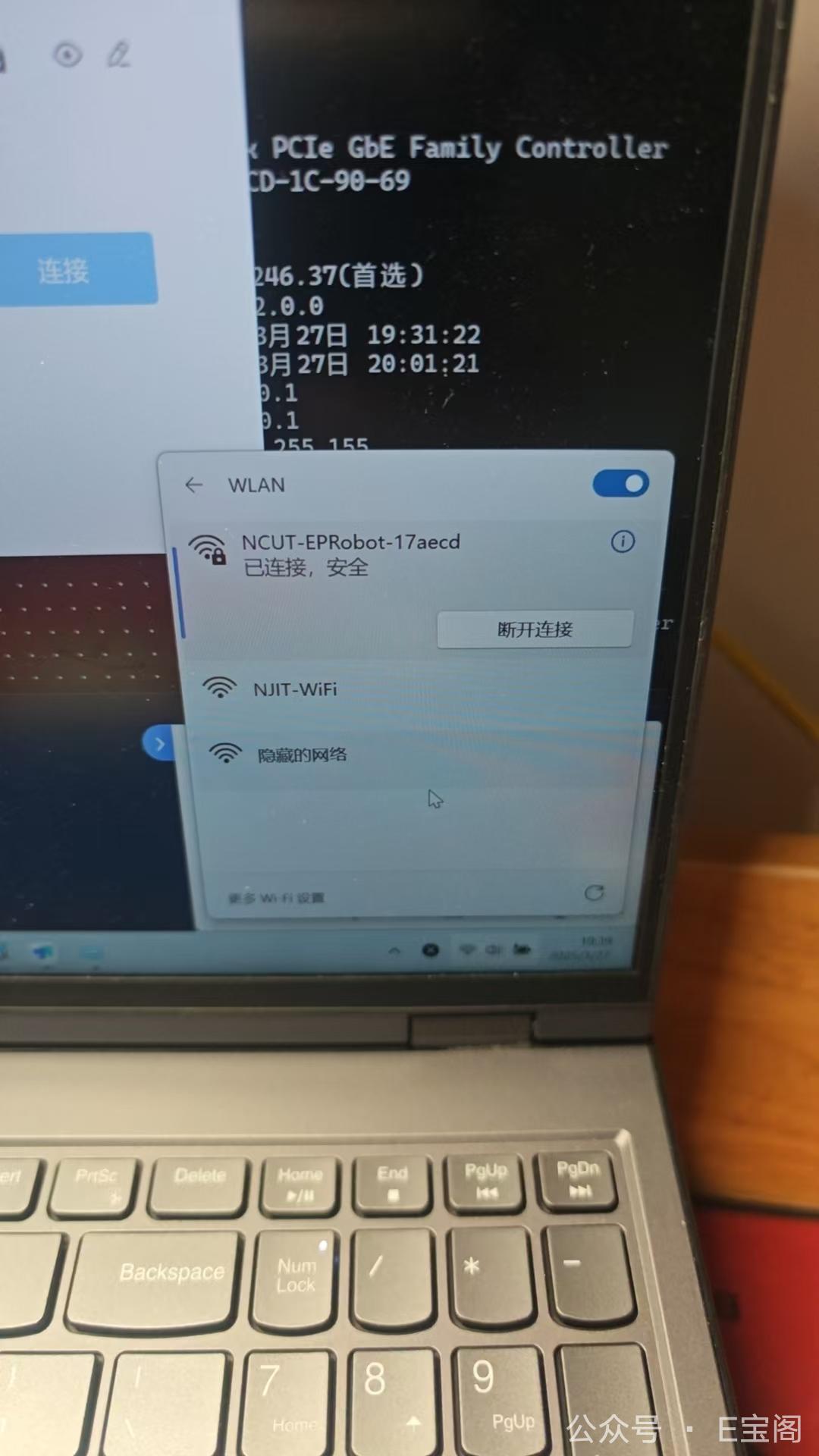
一开始客户在校园网环境下特别纠结🌐——树莓派开了WiFi热点后,电脑要么连校园网要么连树莓派,就是不能同时连😵。

一番沟通之后,确认客户那边有路由器,那就好办了.

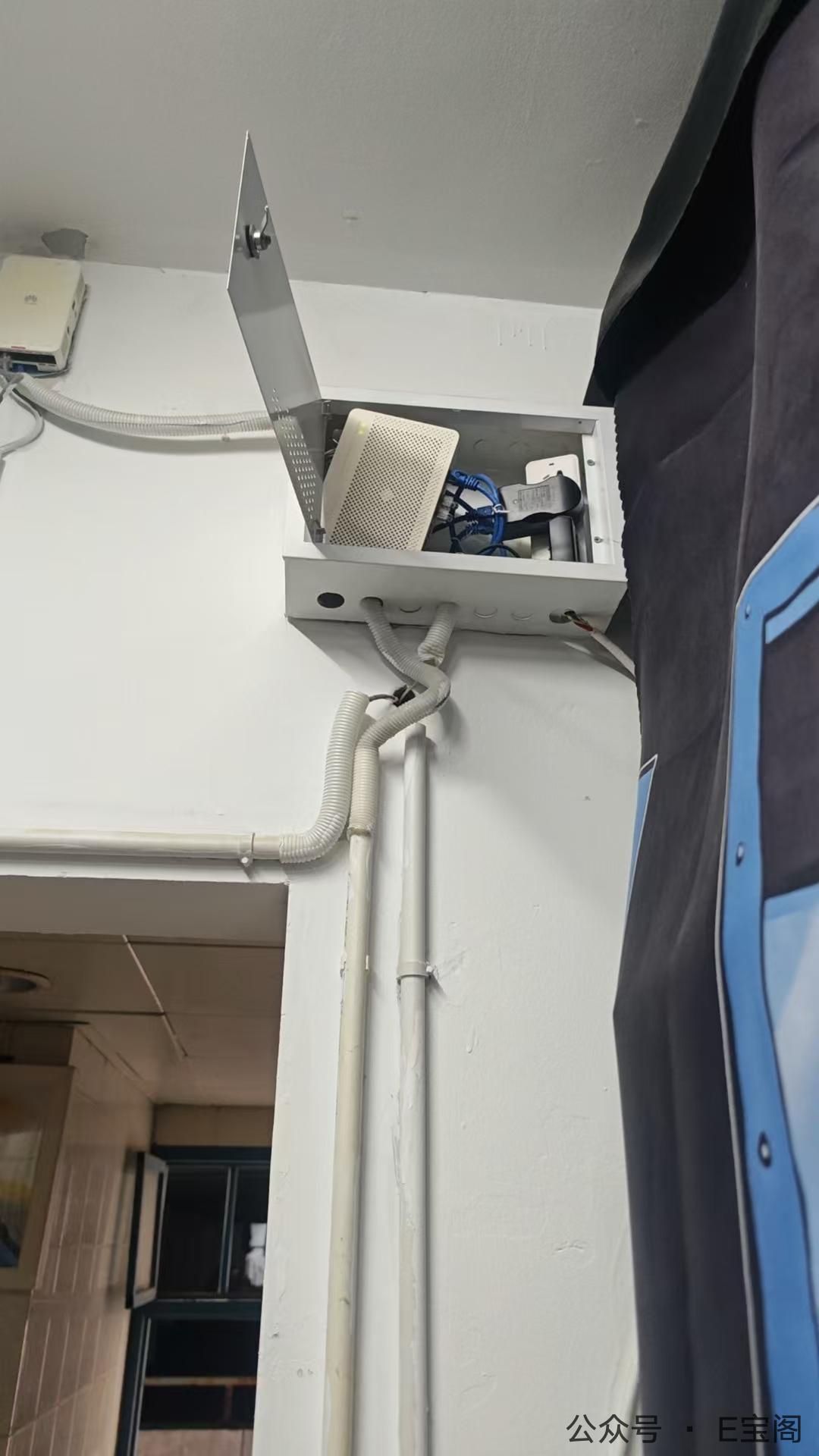
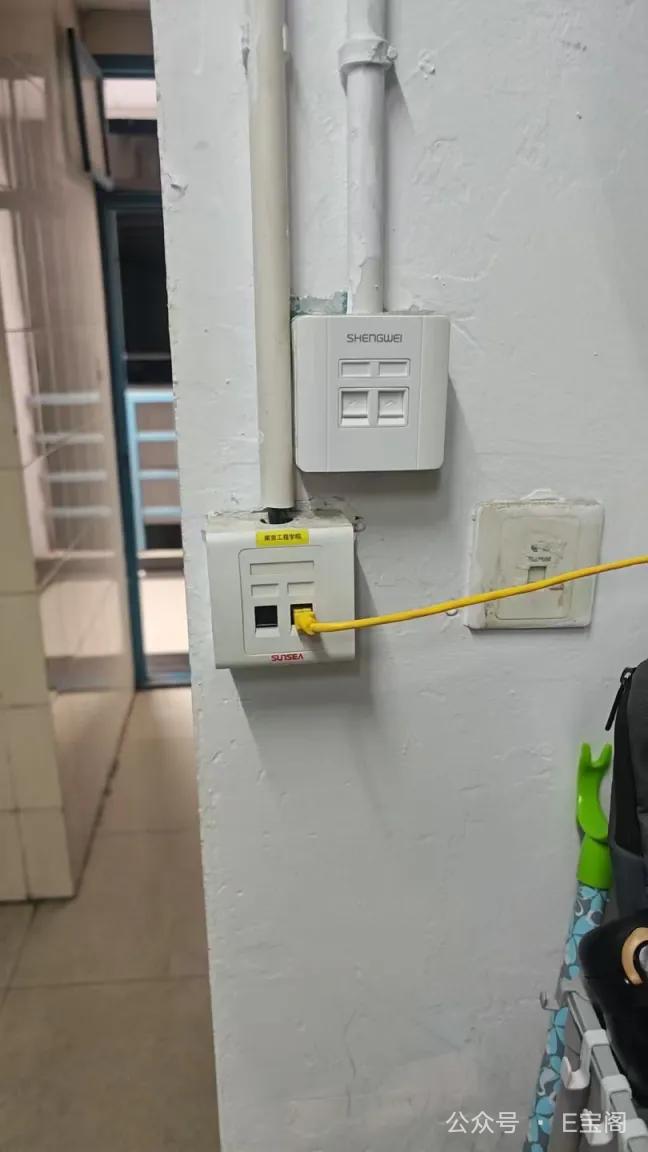
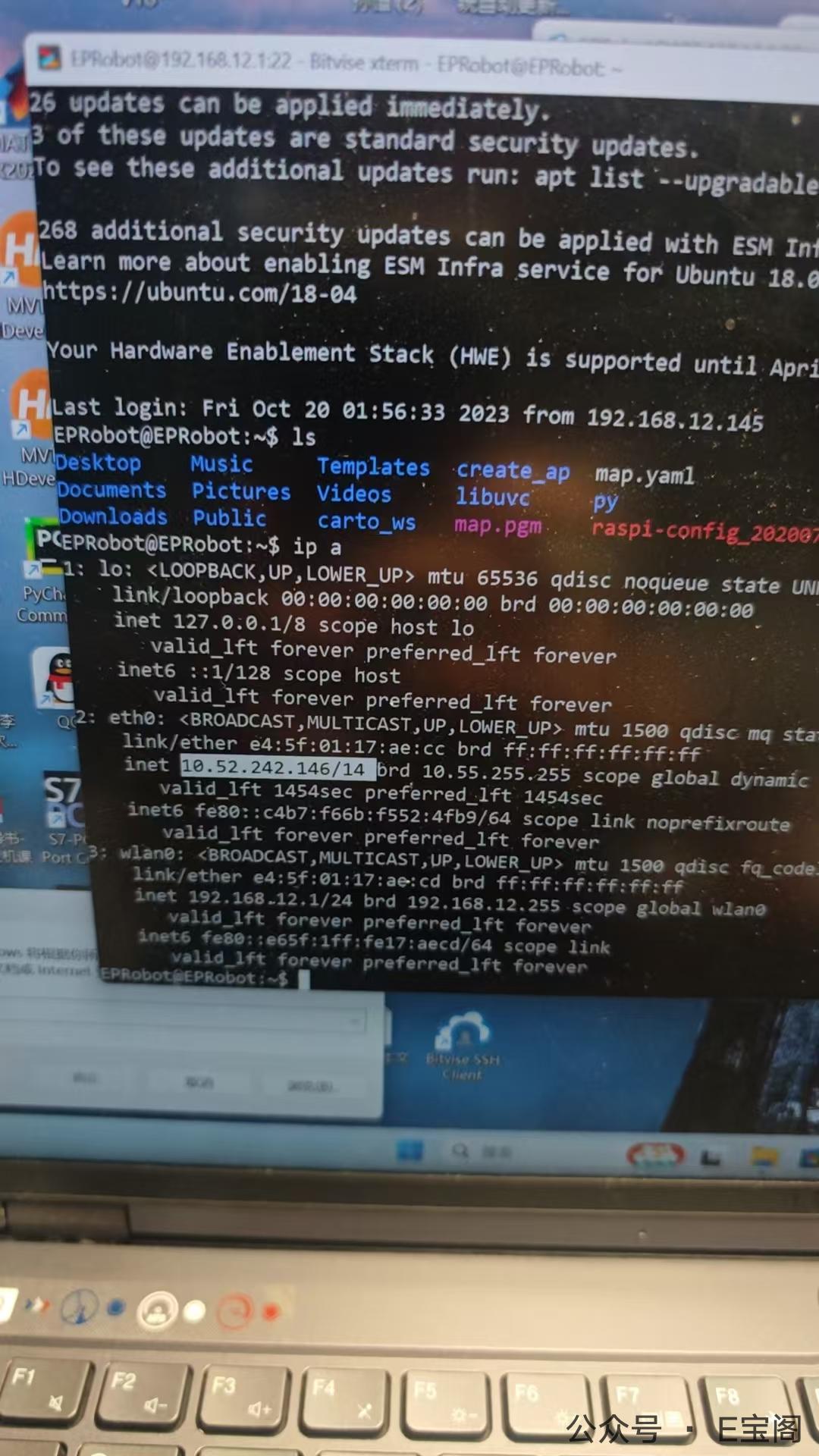
灵机一动让客户找来根网线给树莓派小车插上,瞬间实现双网卡并行,网络问题迎刃而解🎯!

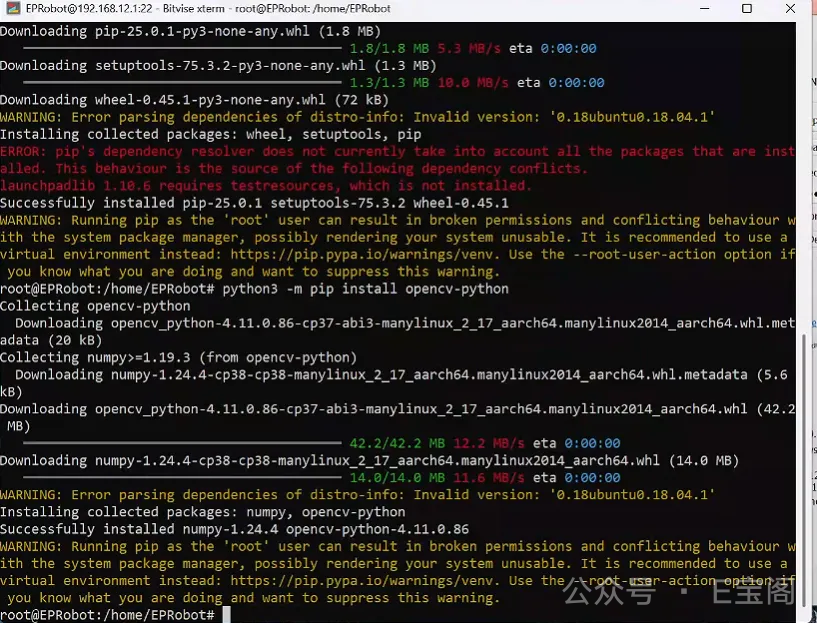
接着就是重头戏Python升级🐍。直接源码编译安装Python 3.8环境,顺手把opencv-python也安排上了👁️。虽然远程操作总是提心吊胆的,但好在一切顺利✨。

2025-03-25

🔧 远程自动化部署Nginx

今天帮客户远程调试了一套自动化部署Nginx的shell脚本,整个过程简直像在玩解谜游戏!🕵️‍♂️
客户表示修改完后,测试下本机和远程的安装,开始,停止,重启,重载操作。

🐞 调试过程
祭出神器bash -x开启调试模式后,脚本的每一步执行都变得透明起来:

1
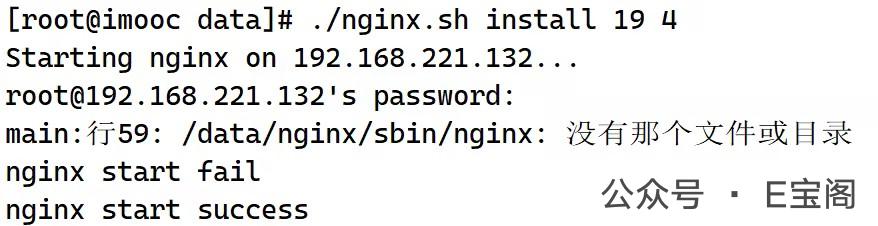
$ bash -x nginx.sh install 19 4

看着命令行像放电影一样把执行过程打印出来,调试效率直接翻倍!🚀

💥 遇到的坑
1.变量命名翻车现场🚑

  • 把reload写成reloada(多了个a)…还有好几处的

2.变量作用域大战⚔️

  • $2,$3全局变量接收nginx的大版本号,小版本号,在远程安装中值为空(处理方式最简单的就是,直接往方法传参)

🎯 最终成果
经过多轮调试后:

  • 本机Nginx安装成功率💯
  • 远程机器通过SSH批量部署成功🌐
  • 补全了reload和restart方法,并增加了过程输出📝

(客户看着自动完成的部署流程直呼”魔法!”✨ 果然自动化脚本调试好了就是生产力神器啊~)

纠正之前的代码

1
2
3
4
5
6
7
8
9
10
11
12
13
14
15
16
17
18
19
20
21
22
23
24
25
26
27
28
29
30
31
32
33
34
35
36
37
38
39
40
41
42
43
44
45
46
47
48
49
50
51
52
53
54
55
56
57
58
59
60
61
62
63
64
65
66
67
68
69
70
71
72
73
74
75
76
77
78
79
80
81
82
83
84
85
86
87
88
89
90
91
92
93
94
95
96
97
98
99
100
101
102
103
104
105
106
107
108
109
110
111
112
113
114
115
116
117
118
119
120
121
122
123
124
125
126
127
128
129
130
131
132
133
134
135
136
137
138
139
140
141
142
143
144
145
146
147
148
149
150
151
152
153
154
155
156
157
158
159
160
161
162
163
164
165
166
167
168
169
170
171
172
173
174
175
176
177
178
179
180
181
182
183
184
185
186
187
188
189
190
191
192
193
194
195
#!/bin/bash

#nginx版本1.19.3
ver =nginx-1.$2.$3

#定义nginx的安装目录
in_dir=/data/tools/$ver

#软件的存放目录
dl_dir=/data/soft

#最终的运行目录
run_dir=/data/nginx

#需要定义一个目标机器的ip列表
hosts_file="/data/hosts.txt"

#检测安装目录是否存在
if [ ! -d $in_dir ];then
mkdir -p $in_dir
fi

#检测软件的存放目录是否存在
if [ ! -d $dl_dir ];then
mkdir -p $dl_dir
fi

#定义函数实现nginx的安装
function nginx_install(){
yum -y install gcc-c++ pcre-devel zlib-devel openssl-devel
if [ $? -eq 0 ];then
curl "http://nginx.org/download/$ver.tar.gz" -o $dl_dir/$ver.tar.gz && \
useradd -M -S /sbin/nologin nginx $$ \
tar xf $dl_dir/$ver.tar.gz -C $dl_dir && \
cd $dl_dir/$ver
./configure --prefix=$in_dir
--user=nginx --group=nginx && \
make && make install
fi
}

#初始化nginx的函数
function nginx_init(){
ln -s $in_dir $run_dir
}

#启动nginx
function nginx_start(){
ps -ef | grep nginx |grep master

if [ $? -eq 0 ];then
echo "nginx is running"
else
if [ ! -e $run_dir/sbin/nginx ];then
#执行初始化操作
nginx_init
fi

$run_dir/sbin/nginx

sleep 5

ps -ef | grep nginx |grep master
if [ $? -eq 0 ];then
echo "nginx start success"
else
echo "nginx start fail"
fi
fi
}

#niginx的停止函数
function nginx_stop(){
$run_dir/sbin/bginx -s quit
sleep 5

ps -ef | grep nginx | grep master
if [ $? -ne 0 ];then
echo "nginx stopped success"
else
echo "nginx stopped
fail"
fi

}


function nginx_reloada(){
$run_dir/sbin/nginx -s reload
}


#主函数调用nginx的安装和启动
function main(){
nginx_install
nginx_start
}

#远程安装你的nginx的函数
function remote_install(){
while read -r host;do
echo "Starting nginx on $host..."
ssh $host "bash -s" < "$0" start
if [ $? -eq 0 ];then
echo "nginx start success"
else
echo "nginx start fail"
fi
done < $hosts_file
}

#远程停止nginx的函数
function remote_stop(){
while read -r host;do
echo "Stopping nginx on $host..."
ssh $host "bash -s" < "$0" stop
if [ $? -eq 0 ];then
echo "nginx stopped success $host"
else
echo "nginx stopped fail $host"
fi
done < $host_file
}

#远程重启nginx的函数
function remote_restart(){
while read -r host;do
echo "restarting nginx on $host..."
ssh $host "bash -s" < "$0" restart
if [ $? -eq 0 ];then
echo "nginx restarted success $host"
else
echo "nginx restarted fail $host"
fi
done < $host_file
}


function remote_reload(){
while read -r host;do
echo "Reloading nginx on $host..."
ssh $host "bash -s" < "$0" reload
if [ $? -eq 0 ];then
echo "nginx reloaded success $host"
else
echo "nginx reloaded fail $host"
fi
done < $hosts_file
}


#我们根据命令行的参数执行对应的操作
case $1 in
install)
if [ -f "$hosts_file" ];then
remote_install
else
nginx_start
fi
;;
start)
if [ -f "$hosts_file" ];then
remote_start
else
nginx_start
fi
;;
stop)
if [ -f "$hosts_file" ];then
remote_stop
else
nginx_stop
fi
;;
restart)
if [ -f "$hosts_file" ];then
remote_restart
else
nginx_restart
fi
;;
reload)
if [ -f "$hosts_file" ];then
remote_reload
else
nginx_reload
fi
;;
*)
echo "使用的方法"
echo "$0 start|stop|restart|reload"
echo "安装方法"
echo "$0 install<版本号><小版本> 比如: $0 install 19 3 下载的就是nginx-1.19.3"
;;
esac

纠正之后的代码

1
2
3
4
5
6
7
8
9
10
11
12
13
14
15
16
17
18
19
20
21
22
23
24
25
26
27
28
29
30
31
32
33
34
35
36
37
38
39
40
41
42
43
44
45
46
47
48
49
50
51
52
53
54
55
56
57
58
59
60
61
62
63
64
65
66
67
68
69
70
71
72
73
74
75
76
77
78
79
80
81
82
83
84
85
86
87
88
89
90
91
92
93
94
95
96
97
98
99
100
101
102
103
104
105
106
107
108
109
110
111
112
113
114
115
116
117
118
119
120
121
122
123
124
125
126
127
128
129
130
131
132
133
134
135
136
137
138
139
140
141
142
143
144
145
146
147
148
149
150
151
152
153
154
155
156
157
158
159
160
161
162
163
164
165
166
167
168
169
170
171
172
173
174
175
176
177
178
179
180
181
182
183
184
185
186
187
188
189
190
191
192
193
194
195
196
197
198
199
200
201
202
203
204
205
206
207
208
209
210
211
212
213
#!/bin/bash

#nginx版本1.19.3
ver=nginx-1.$2.$3

#定义nginx的安装目录
in_dir=/data/tools/$ver

#软件的存放目录
dl_dir=/data/soft

#最终的运行目录
run_dir=/data/nginx

#需要定义一个目标机器的ip列表
hosts_file="/data/hosts.txt"

#检测安装目录是否存在
if [ ! -d $in_dir ];then
mkdir -p $in_dir
fi

#检测软件的存放目录是否存在
if [ ! -d $dl_dir ];then
mkdir -p $dl_dir
fi

#定义函数实现nginx的安装
function nginx_install(){
yum -y install gcc-c++ pcre-devel zlib-devel openssl-devel make
if [ $? -eq 0 ];then
curl "http://nginx.org/download/$ver.tar.gz" -o $dl_dir/$ver.tar.gz && \
useradd -M -s /sbin/nologin nginx
echo "./configure --prefix=$in_dir --user=nginx --group=nginx"
tar xf $dl_dir/$ver.tar.gz -C $dl_dir && \
cd $dl_dir/$ver && \
./configure --prefix=$in_dir --user=nginx --group=nginx && \
make && make install

if [ ! -e $run_dir/sbin/nginx ];then
echo '执行初始化操作'
nginx_init
fi
fi
}

#初始化nginx的函数
function nginx_init(){
ln -s $in_dir $run_dir
}

#启动nginx
function nginx_start(){
ps -ef | grep nginx |grep master
if [ $? -eq 0 ];then
echo "nginx is running"
else
$run_dir/sbin/nginx

sleep 5

ps -ef | grep nginx |grep master
if [ $? -eq 0 ];then
echo "nginx start success"
else
echo "nginx start fail"
fi
fi
}


#niginx的停止函数
function nginx_stop(){
$run_dir/sbin/nginx -s quit
sleep 5

ps -ef | grep nginx | grep master
if [ $? -ne 0 ];then
echo "nginx stopped success"
else
echo "nginx stopped
fail"
fi

}


function nginx_reload(){
$run_dir/sbin/nginx -s reload
}


#主函数调用nginx的安装和启动
function main(){
nginx_install
nginx_start
}

#远程安装你的nginx的函数
function remote_install(){
local ver_major="$1" # 接收第一个参数(如 19)
local ver_minor="$2" # 接收第二个参数(如 3)
while read -r host;do
echo "Install nginx on $host...args -> $ver_major.$ver_minor"
ssh $host "bash -s" < "$0" install "$ver_major" "$ver_minor"
if [ $? -eq 0 ];then
nginx_init
echo "nginx install success"
else
echo "nginx install fail"
fi
done < $hosts_file
}

#远程停止nginx的函数
function remote_start(){
while read -r host;do
echo "Starting nginx on $host..."
ssh $host "bash -s" < "$0" start
if [ $? -eq 0 ];then
echo "nginx start success $host"
else
echo "nginx start fail $host"
fi
done < $hosts_file
}


#远程停止nginx的函数
function remote_stop(){
while read -r host;do
echo "Stopping nginx on $host..."
ssh $host "bash -s" < "$0" stop
if [ $? -eq 0 ];then
echo "nginx stopped success $host"
else
echo "nginx stopped fail $host"
fi
done < $hosts_file
}

#远程重启nginx的函数
function remote_restart(){
while read -r host;do
echo "restarting nginx on $host..."
ssh $host "bash -s" < "$0" restart
if [ $? -eq 0 ];then
echo "nginx restarted success $host"
else
echo "nginx restarted fail $host"
fi
done < $hosts_file
}


function remote_reload(){
while read -r host;do
echo "Reloading nginx on $host..."
ssh $host "bash -s" < "$0" reload
if [ $? -eq 0 ];then
echo "nginx reloaded success $host"
else
echo "nginx reloaded fail $host"
fi
done < $hosts_file
}


#我们根据命令行的参数执行对应的操作
case $1 in
install)
if [ -f "$hosts_file" ];then
remote_install "$2" "$3"
else
nginx_install
#nginx_start
fi
;;
start)
if [ -f "$hosts_file" ];then
remote_start
else
nginx_start
fi
;;
stop)
if [ -f "$hosts_file" ];then
remote_stop
else
nginx_stop
fi
;;
restart)
if [ -f "$hosts_file" ];then
remote_restart
else
nginx_restart
fi
;;
reload)
if [ -f "$hosts_file" ];then
remote_reload
else
nginx_reload
fi
;;
*)
echo "使用的方法"
echo "$0 start|stop|restart|reload"
echo "安装方法"
echo "$0 install<版本号><小版本> 比如: $0 install 19 3 下载的就是nginx-1.19.3"
;;
esac
2025-03-25

💡 光速救援之Uvicorn安装

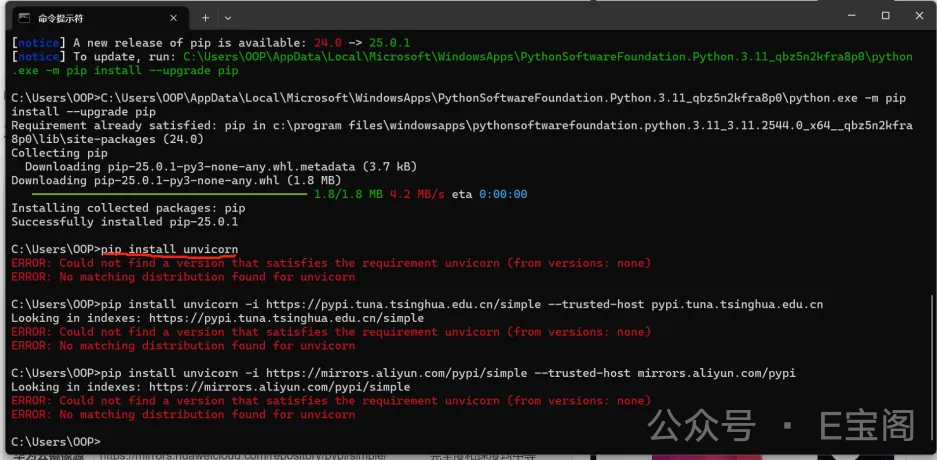
今天遇到个让人哭笑不得的远程协助case🤣,客户发来一张报错图片,说包安装不上。
定睛一看——好家伙!包名多打了个n变成”unvicorn”了😅

🚀 我的极限操作:

  1. 以电竞选手的手速💨秒开cmd
  2. 光速输入pip install uvicorn(这次保证没拼错!)
  3. 看着进度条嗖嗖跑完✅
  4. 火速关闭窗口(深藏功与名~)

整个过程行云流水,从发现问题到解决不到30秒⏱️!客户都看呆了:”这就…好了?”

(事后偷偷记在小本本📒:远程协助时,80%的安装问题都是拼写错误…)

2025-03-24

🚀 华为云EulerOS 2.0极限操作日记

🌌 背景故事

客户需要在华为云EulerOS 2.0 aarch64系统上通过Docker搭建SSHD服务,但面临:

  • 离线环境🌐❌
  • 依赖地狱😈
  • 架构特殊(aarch64)💪

💡 灵光乍现的解决方案

直接上华为云开了台同配置按量主机(0.19元/小时真香💰),开启我们的”依赖搬运大法”:

1
2
3
4
# 🏗️ 在线主机打包依赖
mkdir -p ~/openssh-offline && cd ~/openssh-offline
yum install yum-utils -y # 先装下载工具
yumdownloader openssh-server openssh-clients --resolve --destdir=. # 连带依赖一起抓

📦 离线环境极限操作

1
2
3
4
# 🚚 把依赖包空投到目标机器
cd /tmp
tar -xzvf openssh-offline.tar.gz # 解压依赖包
sudo rpm -ivh *.rpm --nodeps --force # 强制安装(破釜沉舟式)

🛠️ 配置SSHD服务

1
2
3
4
5
6
7
8
# 🔓 允许root登录
sed -i 's/#PermitRootLogin prohibit-password/PermitRootLogin yes/' /etc/ssh/sshd_config

# 🔑 生成密钥&设置密码
ssh-keygen -A && echo "root:your_password" | chpasswd

# 容器内自测连接
ssh root@127.0.0.1

🐳 “加钱”豪华套餐:容器镜像打包服务

:”没问题了!接下来就可以打包了” 💸
客户:”怎么打包?我不会,你可以帮忙打包下么?我可以加钱💰!”
我(思索片刻):”没问题!” 💸

🔄 容器变镜像的神奇操作

1
2
3
4
5
6
7
8
9
# 先给容器做个"体检"(查看运行中的容器)
docker ps -a

# 开始"打包服务"(commit时内心os:这单加钱了得用黄金参数)
docker commit \
--author "加钱哥专属打包" \
--message "VIP客户加钱定制版" \
sshd_container \
sshd_pro_max_plus:1.0.0

(内心:今天又是把docker commit卖出黄金价格的一天💰 建议把–author改成”加钱哥专属打包”才对得起这价格!)

🐳 Docker魔法时刻

1
2
# 🚪 端口映射(32373→22)
docker run -d -p 32373:22 --name sshd_container2 sshd_pro_max_plus

见证奇迹的时刻

用新打包的镜像起一个容器居然报错了 exited(126)
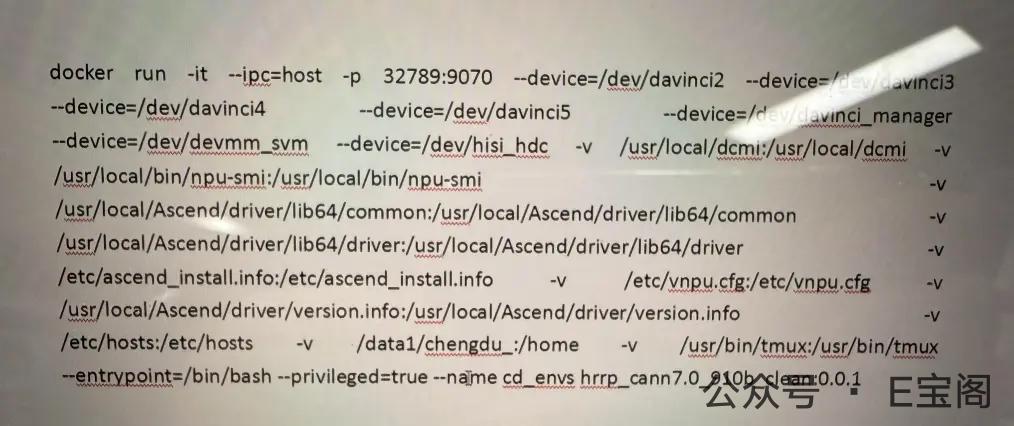
赶紧要来客户运行的完整的启动命令,它居然这么长

于是开始一顿漫长的操作,最后,居然成功了。😎

🎭 戏剧性结局

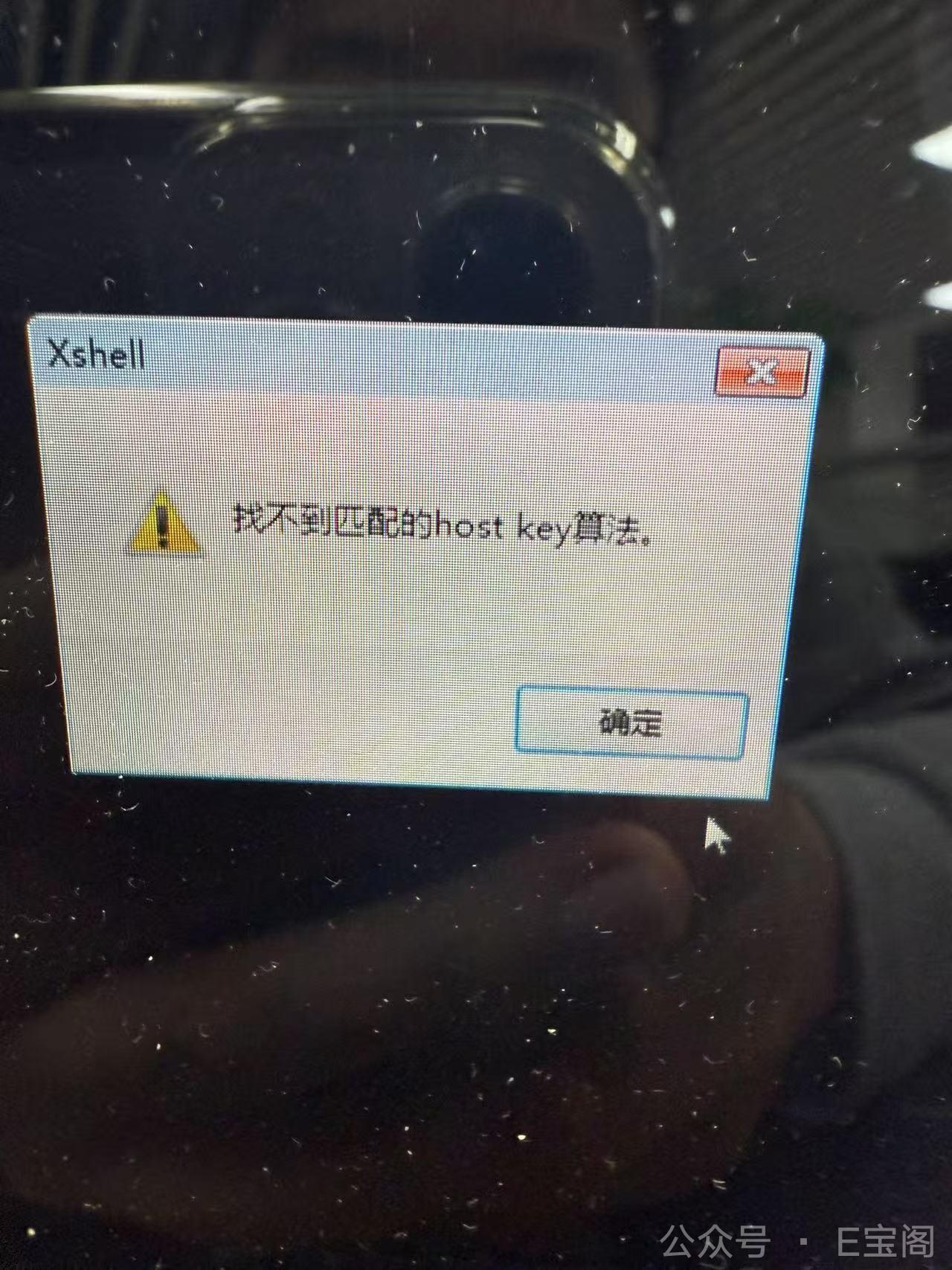
  • XShell傲娇报错😤
  • 但其他客户端连接成功🎉
  • 客户需求达成!✨

(事后小剧场:看着0.19元的账单直呼”这波血赚”💰 而我们的rpm –force就像用了”蛮力解决方案”💪,虽然粗暴但有效!)

2025-03-22

🐍 Python 多环境安装指南 - 定制版

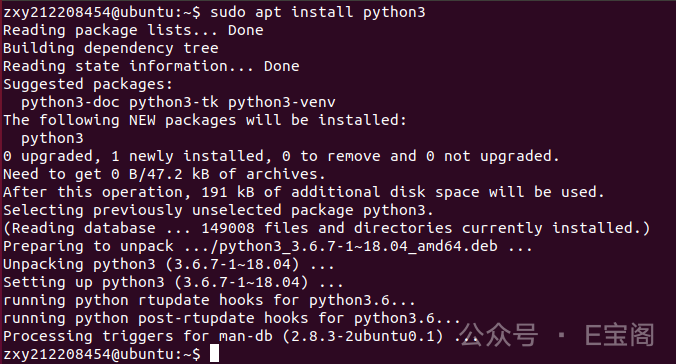
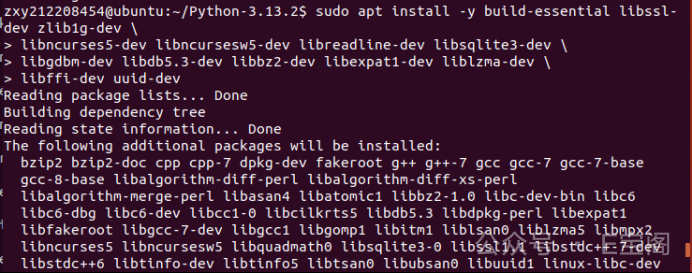
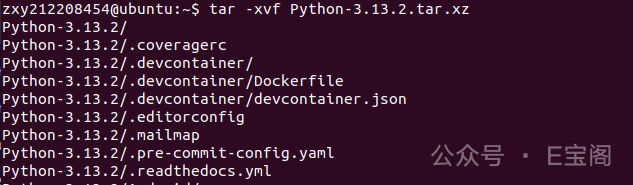
客户要求将代码以及截图贴在给定的文档上,以文档形式交付
终端上显示的用户名需要是用户指定的zxy212208454

👤 题目信息

  • 1.在Ubuntu系统中使用apt安装Python3,并运行显示版本号。
  • 2.在Centos系统中使用yum安装Python3,并运行显示版本号。(这一题可不做,1,2题目任选一题就行)
  • 3.使用源码编译安装Python最新版本。

1️⃣ Ubuntu 系统 APT 安装 Python3

安装步骤

1
2
3
4
5
6
# 更新软件包列表
sudo apt update
# 安装Python3
sudo apt install python3 -y
# 验证安装
python3 --version

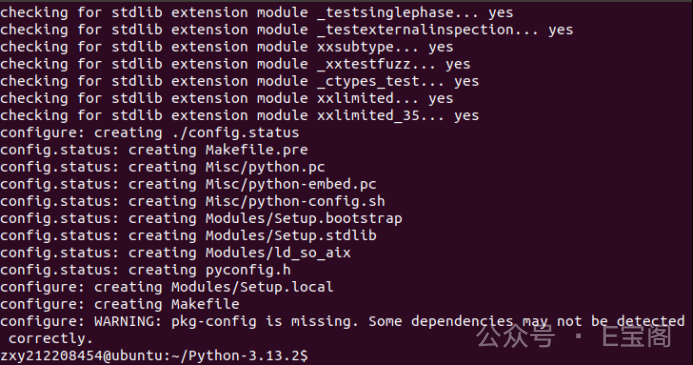
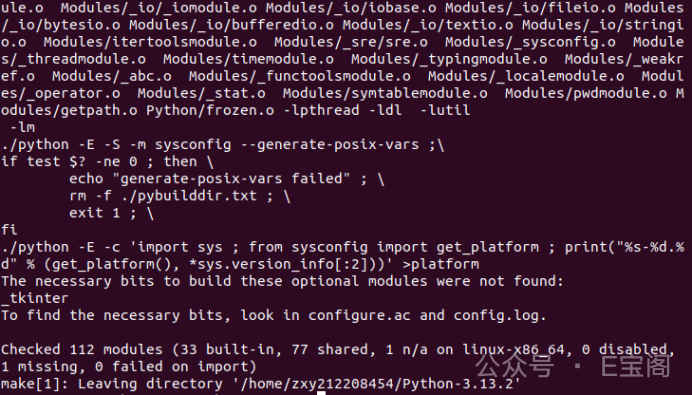
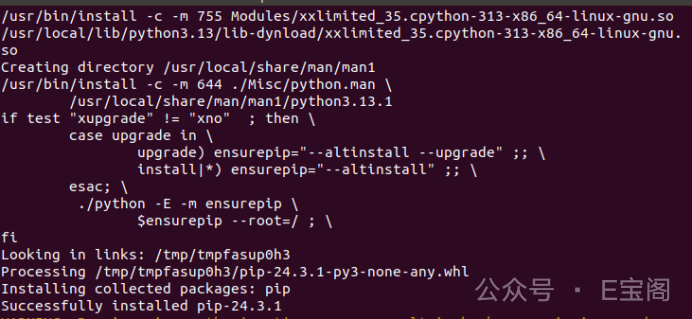
执行截图


3️⃣ 源码编译安装最新Python版本

安装步骤

1
2
3
4
5
# 安装编译依赖
sudo apt install -y build-essential libssl-dev zlib1g-dev \
libncurses5-dev libncursesw5-dev libreadline-dev libsqlite3-dev \
libgdbm-dev libdb5.3-dev libbz2-dev libexpat1-dev liblzma-dev \
libffi-dev uuid-dev
1
2
3
# 解压客户给的版本源码
tar -xvf Python-3.13.2.tar.xz
cd Python-3.13.2
1
2
# 配置编译选项
./configure --enable-optimizations
1
2
3
# 编译安装
make -j$(nproc)
sudo make altinstall # 避免覆盖系统自带的 Python 版本

验证安装

1
python3.13 --version

📊 安装方法对比

方法优点缺点适用场景
Ubuntu APT安装快速简单版本可能较旧快速部署
CentOS YUM稳定性高需要EPEL仓库服务器环境
源码编译可获取最新版本耗时较长开发测试

💡 温馨提示:建议用户在生产环境中根据实际需求选择合适的安装方式!

2025-03-22

🛠️ VSCode + Java + Maven 环境配置指南

第一步:安装Java

  1. 去官网下载JDK(推荐JDK18):Oracle官网
  2. 双击安装,一直点”下一步”就行
  3. 安装完打开cmd输入:
    1
    java -version
    看到版本号就成功啦!🎉

第二步:安装Maven

  1. 下载Maven:官网下载
  2. 解压到C盘,比如:C:\apache-maven-3.8.6
  3. 设置环境变量(不会设置的可以百度”Windows设置环境变量”)
  4. cmd输入:
    1
    mvn -v
    出现版本信息就OK啦!✨

第三步:安装VSCode

  1. 官网下载安装:VSCode官网
  2. 安装这几个超好用的插件:
    • Java Extension Pack(一键安装Java全家桶)
    • Maven for Java(Maven项目管理)
    • Chinese Language Pack(中文界面,可选)

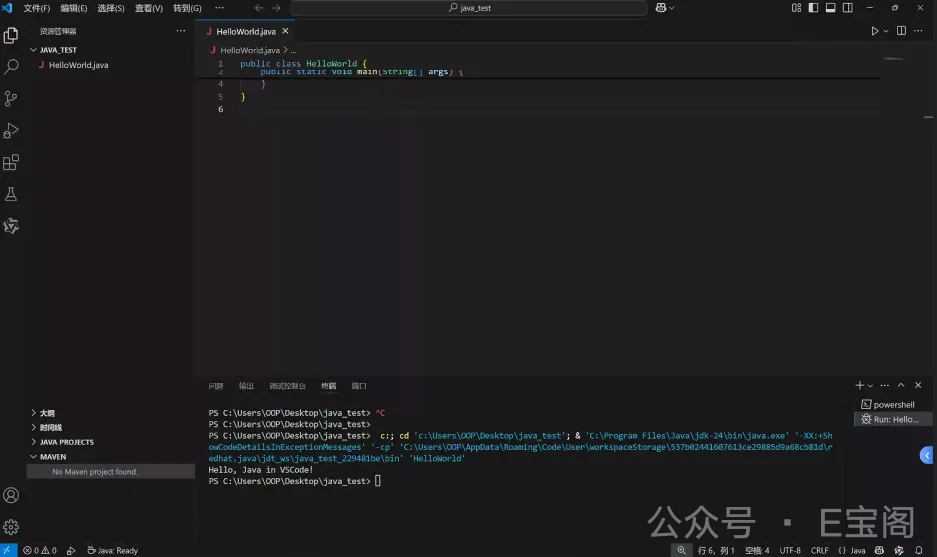
第四步:小测一下java欢迎程序

1.右键运行代码

第五步:测试一下maven项目

  1. 打开VSCode,按Ctrl+Shift+P输入:
    1
    Java: Create Java Project
  2. 选择”Maven”项目
  3. 等加载完,运行试试看吧!
  4. 给客户试试完整的项目 (结果一顿操作猛如虎,结果客户说太难懂,先算了吧)

💡 小贴士:

  • 第一次加载可能会有点慢,耐心等待哦~
  • 如果下载依赖卡住,可以配置阿里云镜像(需要帮助可以随时问我)
  • 遇到问题截图发我,手把手帮你解决!

这样配置完,客户就可以愉快地写Java代码啦!🚀

2025-03-21

🕵️‍♂️ PyInstaller 神秘失踪案破案记

🚨 案发经过

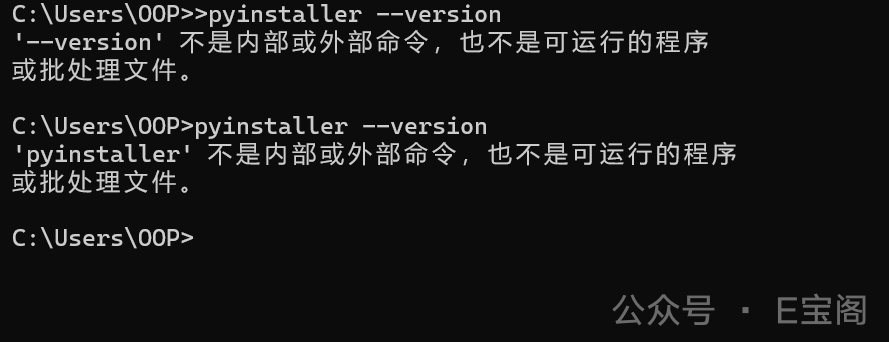
客户安装 PyInstaller 时遇到了灵异事件:

1
2
pip install pyinstaller  # 明明显示安装成功
pyinstaller --version # 却提示"不是内部或外部命令"

🔍 破案过程

  1. 第一现场勘察
    pyinstaller安装时提示的路径加入 PATH 后,命令能找到了,但居然报错”不是有效命令”!😱

  2. 线索追踪
    由于客户电脑没有 Everything 这类搜索神器,只能用系统自带的蜗牛搜索🐌:

    1
    C盘 → 搜索"pyinstaller" → 发现可疑文件!
  3. 真相大白
    原来 C盘根目录下躺着一个空文件也叫 pyinstaller,这个”李鬼”劫持了命令!

🎯 完美解决

1
pyinstaller --version  # 删除冒牌货 (C:\pyinstaller),正主终于现身!

💡 经验总结

  1. 遇到命令问题时,先检查 where pyinstaller 找执行路径
  2. Windows 会优先使用当前目录下的可执行文件
  3. 空文件也能造成命令劫持,真是防不胜防!

这次经历告诉我们:电脑里乱放文件可能会引发”灵异事件”哦~ 👻

2025-03-15

🚀 地平线X3开发板PyQt5部署

💥 初战告败:内存危机

1
2
3
4
5
# 切换到客户给的虚拟环境
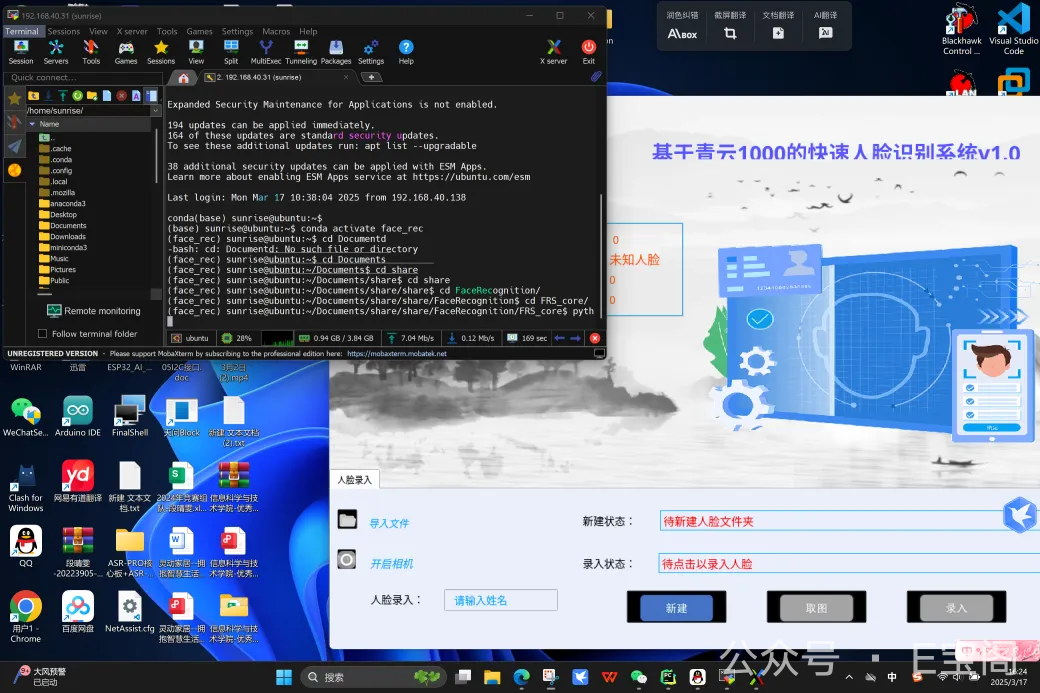
conda activate face_rec
pip install pyqt5 # 开始编译...
# 良久后!开发板开始"喘粗气"💨
error: [Errno 12] Cannot allocate memory # 内存不足报错

小开发板可怜巴巴地说:”人家只有这么点内存,编译这么大的包太为难了啦~” 😫

之后尝试了用全局环境,错误依旧…

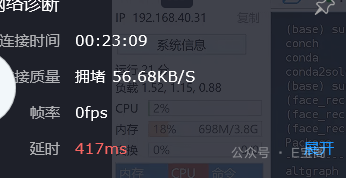
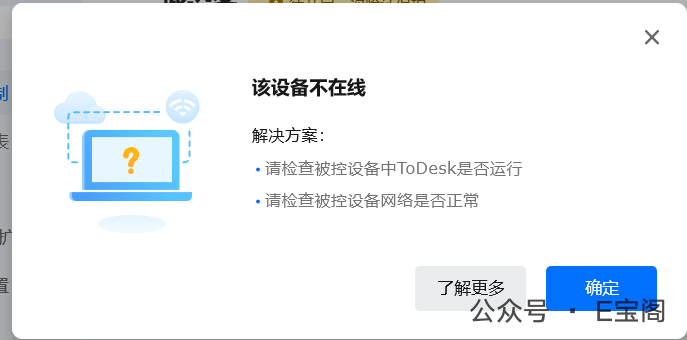
中途还出现了一些小插曲,todesk好卡呀

客户: 可能是我在的这个地方网络不好

呀,还断线了

客户: 热点不稳定
: 你那边有办法稳定点么
客户: 我手机不动就没事了

在经过各种折腾之后…

🧠 灵机一动:Conda救援方案

1
2
conda install pyqt5  # 魔法开始生效✨
# Conda默默掏出预编译好的二进制包:"放着我来!"

conda-magic
Conda像哆啦A梦一样掏出预编译好的轮子

🎊 胜利的烟花

当客户屏幕上终于弹出PyQt5的窗口时:

  • 开发板安静如鸡 🐔
  • 客户欢呼:”出来了!出来了!” 🎉
  • 我在远程这边深藏功与名 😎

💡 血泪经验

  1. 嵌入式设备编译大包≈让蚂蚁搬大象🐜→🐘
  2. Conda的预编译包是资源受限设备的救星🌟
  3. 下次记得:
    1
    conda install -c conda-forge pyqt5  # 指定靠谱的源

这个故事告诉我们:有时候”偷懒”用预编译包,反而是最专业的做法呢~ 🧙‍♂️

2025-03-12

🐳 全栈项目Docker化全记录:从零到完美部署

📂 项目目录结构设计

1
2
3
4
5
6
7
8
9
10
myproject/
├── backend/ # Python后端(Flask/Django)
│ ├── app.py # 主程序入口
│ └── requirements.txt # 依赖清单
├── frontend/ # Vue3前端项目
│ ├── dist/ # 编译后的静态文件
├── mysql/ # 数据库配置
│ └── init.sql # 数据库初始化脚本
└── nginx/
├── default.conf # Nginx配置文件

🚀 部署历险记

1️⃣ 初遇挑战:Docker源不可用

1
2
3
4
5
6
7
8
9
10
11
12
13
14
15
16
17
18
19
20
21
# 替换可用的镜像源,尝试了常见的阿里,清华等源,依旧没能解决,最终找到了可用的(解决下载慢以及超时问题)
sudo tee /etc/docker/daemon.json <<EOF
{
"registry-mirrors": [
"https://docker.zhai.cm",
"https://a.ussh.net",
"https://hub.littlediary.cn",
"https://hub.rat.dev",
"https://atomhub.openatom.cn",
"https://docker.m.daocloud.io",
"https://docker.1ms.run",
"https://dytt.online",
"https://func.ink",
"https://lispy.org",
"https://docker.xiaogenban1993.com",
"https://docker.mybacc.com",
"https://docker.yomansunter.com",
"https://dockerhub.websoft9.com"
]
}
EOF

2️⃣ 镜像选择:Python3.8安装困境

原本想基于CentOS从头构建,但Python3.8编译安装各种报错,最终选择现成镜像:

1
2
3
# mihailkarahanov/centos7-python38:latest  # 自带Python3.8的CentOS7镜像
docker run -d --name myproject -p 3306:3306 -p 8445:8445 -p 18845:18845
docker exec -it <容器ID> /bin/bash

进入到容器后,就是本次的重点了

3️⃣ 环境配置:Yum换源+软件安装

1
2
3
4
5
6
7
# 1. 更换yum源为阿里云
wget -O /etc/yum.repos.d/CentOS-Base.repo http://mirrors.aliyun.com/repo/Centos-7.repo

# 2. 安装Nginx+MySQL
RUN yum install -y epel-release nginx \
https://dev.mysql.com/get/mysql80-community-release-el7-3.noarch.rpm \
mysql-community-server --nogpgcheck

4️⃣ MySQL驯服记

MySQL服务死活起不来,原来是权限问题:

1
2
3
# 清除旧数据,重新初始化
rm -rf /var/lib/mysql/*
mysqld --initialize --user=mysql --datadir=/var/lib/mysql

5️⃣ 文件部署:复制项目到容器

1
2
3
4
5
6
# 像搬家一样精心搬运每个文件
docker cp ./backend 容器ID:/app/backend
docker cp ./frontend/dist 容器ID:/app/frontend
docker cp mysql/init.sql 容器ID:/docker-entrypoint-initdb.d/
docker cp nginx/default.conf 容器ID:/etc/nginx/conf.d/
docker cp entrypoint.sh 容器ID:/ # 这个是启动脚本

6️⃣ 服务启动:一键运行所有服务

1
2
3
4
5
# 启动MySQL、Python后端、Nginx
mysqld --user=mysql &
cd /app/backend && python3.8 app.py &
nginx &
tail -f /dev/null # 保持容器运行

📦 容器打包镜像完整流程

1️⃣ 提交容器为镜像

1
2
3
4
5
6
# 将调校好的容器保存为新镜像
docker commit \
-a "您的名字" \
-m "包含Python3.8+Vue3+MySQL+Nginx的全栈环境" \
容器ID \
myproject:1.0

2️⃣ 导出镜像为文件

1
2
3
4
5
# 用xz压缩展现专业态度(虽然慢但压缩率高!)
docker save myproject:1.0.0 | xz > myproject.tar.xz

# 贴心地准备快速版(客户可能等不及)
docker save myproject:1.0.0 | gzip > myproject.tar.gz

3️⃣ 客户使用指南

1
2
3
4
5
6
7
8
9
10
11
12
13
# 客户使用步骤:
# 1. 复制镜像文件到目标服务器

# 2. 加载镜像
gunzip -c myproject_v1.0.tar.gz | docker load

# 3. 运行容器
docker run -d \
-p 3306:3306 \
-p 8445:8445 \
-p 18845:18845 \
--name myproject \
myproject:1.0

由于客户内部项目涉密这里就不展示部署的站点效果以及项目代码了🙏(这个我也没有,不得不说,客户保密意识挺强👍)

🔍 镜像验证清单

检查项验证命令预期结果
Python版本docker exec myproject python3.8 --versionPython 3.8.x
Vue前端访问 http://服务器IP正常显示页面
后端APIcurl http://服务器IP:18845/api返回JSON数据
MySQL服务docker exec myproject mysql -uroot -p -e "STATUS"运行正常

💡 经验总结

  1. 现成镜像真香:省去90%环境配置时间
  2. MySQL很娇气:权限问题能折腾半天
  3. 文件复制要细心:路径错一个字母就前功尽弃
  4. 启动顺序很重要:数据库要先于应用启动

💡 专家建议

  1. 版本标记:每次修改后递增版本号(如v1.0→v1.1)
  2. 自动启动:在镜像中添加启动脚本/entrypoint.sh

🛠️ 遇到问题怎么办?

  • MySQL启动失败 → 检查/var/log/mysqld.log
  • Nginx配置错误 → nginx -t测试配置
  • Python依赖缺失 → 检查requirements.txt

最后附上Dockerfile文件,容器部署快人一步🌈

Dockerfile

1
2
3
4
5
6
7
8
9
10
11
12
13
14
15
16
17
18
19
20
21
22
23
24
25
26
27
28
29
30
31
32
33
34
35
36
37
38
39
40
41
42
43
44
45
46
47
48
49
50
51
52
53
54
55
56
57
58
59
60
61
62
63
64
65
66
67
68
69
70
71
72
73
74
75
76
77
78
79
80
81
82
#sudo tee /etc/docker/daemon.json <<EOF
#{
# "registry-mirrors": [
# "https://docker.zhai.cm",
# "https://a.ussh.net",
# "https://hub.littlediary.cn",
# "https://hub.rat.dev",
# "https://atomhub.openatom.cn",
# "https://docker.m.daocloud.io",
# "https://docker.1ms.run",
# "https://dytt.online",
# "https://func.ink",
# "https://lispy.org",
# "https://docker.xiaogenban1993.com",
# "https://docker.mybacc.com",
# "https://docker.yomansunter.com",
# "https://dockerhub.websoft9.com"
# ]
#}
#EOF

# myproject/
#├── backend/ # Python 后端(Flask 或 Django)
#│ ├── app.py
#│ └── requirements.txt
#├── frontend/ # Vue 前端
#│ ├── dist/ # 编译后的 Vue 项目
#├── mysql/ # MySQL 数据库配置(数据存储目录等)
#│ └── init.sql # 初始化数据库的脚本(如果有)
#└── nginx/
# ├── default.conf # Nginx 配置文件


# docker cp ./backend 208c85f6332b:/app/backend
# docker cp ./frontend 208c85f6332b:/app/frontend
# docker cp mysql/zy_pool_v1.sql 208c85f6332b:/docker-entrypoint-initdb.d/
# docker cp ./nginx/conf/conf.d/ywpt.conf 208c85f6332b:/etc/nginx/conf.d/ywpt.conf
# docker cp ./entrypoint.sh 208c85f6332b:/


# 使用 CentOS 7 作为基础镜像
FROM mihailkarahanov/centos7-python38:latest

RUN wget -O /etc/yum.repos.d/CentOS-Base.repo http://mirrors.aliyun.com/repo/Centos-7.repo || curl -o /etc/yum.repos.d/CentOS-Base.repo http://mirrors.aliyun.com/repo/Centos-7.repo

# 更新并安装必需的软件包
RUN yum install -y epel-release nginx https://dev.mysql.com/get/mysql80-community-release-el7-3.noarch.rpm mysql-community-server --nogpgcheck

#获取临时 root 密码并完成基础配置
#grep 'temporary password' /var/log/mysqld.log
#rm -rf /var/lib/mysql/*
#mysqld --initialize --user=mysql --datadir=/var/lib/mysql


# 安装 Python 项目依赖
WORKDIR /app/backend
COPY backend/requirements.txt .
RUN /usr/local/bin/python3.8 -m pip install -r requirements.txt

# 安装前端 Vue 项目
WORKDIR /app/frontend
#COPY frontend/package*.json ./
#RUN npm install
COPY frontend/ ./
#RUN npm run build

# 配置 Nginx
WORKDIR /app/nginx
COPY nginx/conf/conf.d/ywpt.conf /etc/nginx/conf.d/ywpt.conf

# 初始化 MySQL 数据库(如果有初始化 SQL)
COPY mysql/zy_pool_v1.sql /docker-entrypoint-initdb.d/

# 暴露服务的端口
EXPOSE 8445 3306 18845

# 启动所有服务
CMD mysqld --user=mysql & &&
cd /app/backend && /usr/local/bin/python3.8 app.py & &&
nginx &&
tail -f /dev/null

entrypoint.sh

1
2
3
4
5
6
7
8
9
10
11
12
13
14
15
16
17
#!/bin/bash

# 启动 MySQL 服务
mysqld --user=mysql &

# 等待 MySQL 服务启动(可选)
#sleep 5

# 进入后端目录并启动 Python 应用
cd /app/backend && /usr/local/bin/python3.8 app.py &

# 启动 Nginx 服务
nginx

# 保持脚本运行(防止容器退出)
tail -f /dev/null

2025-03-11

💾 固态硬盘改造记:从Linux系统盘到存储盘的华丽转身

🛠️ 改造过程全记录

“咱们开始给这块1TB的固态硬盘做个’大扫除’吧~”
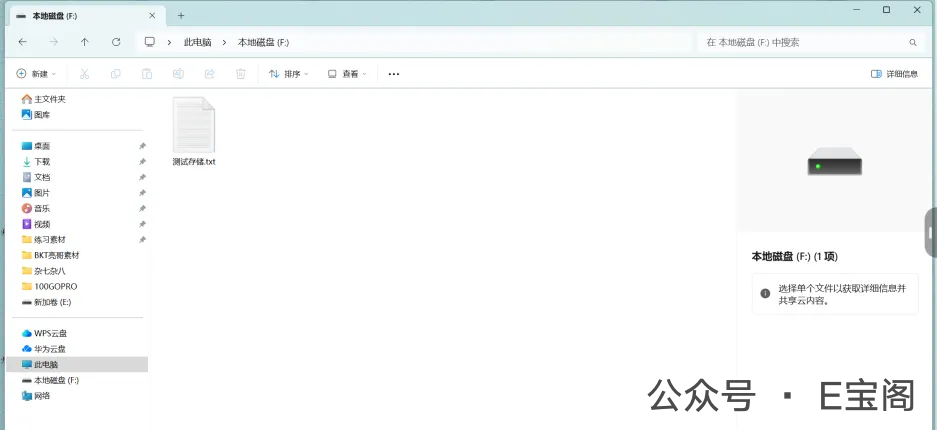
在此之前先确认客户已连接上磁盘

第一步:请出神器DiskGenius

graph TD    A["打开DiskGenius"] --> B["锁定目标硬盘"]    B --> C["右键删除所有分区"]    C --> D["新建NTFS分区"]    D --> E["快速格式化"]

操作实况解说

  1. 精准定位:在DiskGenius中一眼就找到了那块”戴着Linux帽子”的固态硬盘 🎩
  2. 彻底清除:右键→删除分区,就像擦黑板一样干净利落 ✨
  3. 重塑新生:格式化为NTFS时,进度条跑得飞快,SSD性能就是给力 ⚡

格式化过程
看着分区被重新划分,就像在看一场数字魔术表演

🎉 验收时刻

“来试试新硬盘的表现!”

1
新建测试文件 → 随机写入几个字符 → 读取验证

整个过程行云流水,客户在那边开心地说:”现在就跟新买的一样好用!” 😊

💡 操作小贴士

  • 固态硬盘格式化要选”快速格式化”才高效
  • NTFS格式完美兼容Windows系统
  • 整个过程不到5分钟,比重装系统简单多啦!

这次远程维护就像给硬盘做了个”系统卸载SPA”,现在它又可以愉快地存储各种资料啦~ 🛀

2025-03-10

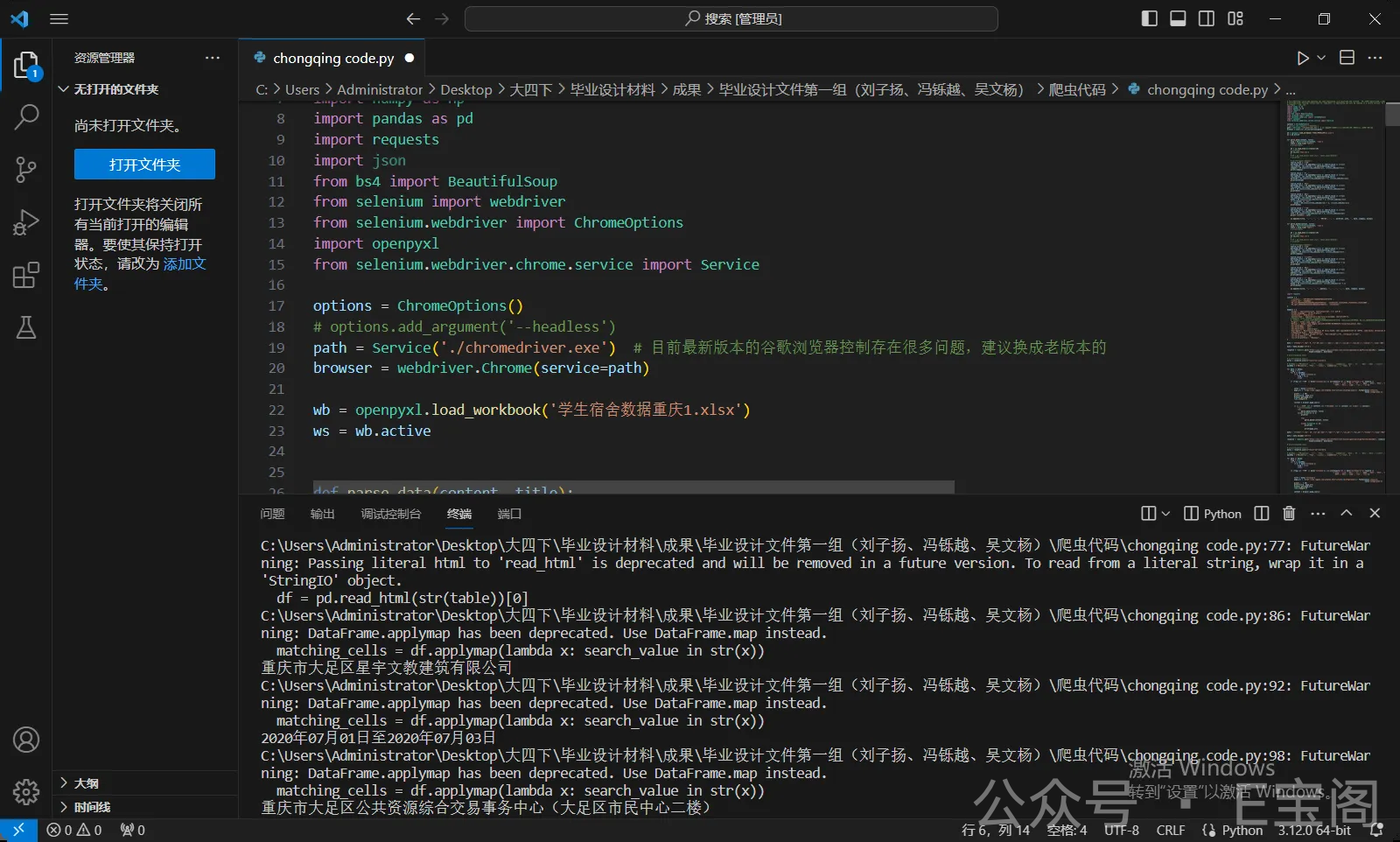
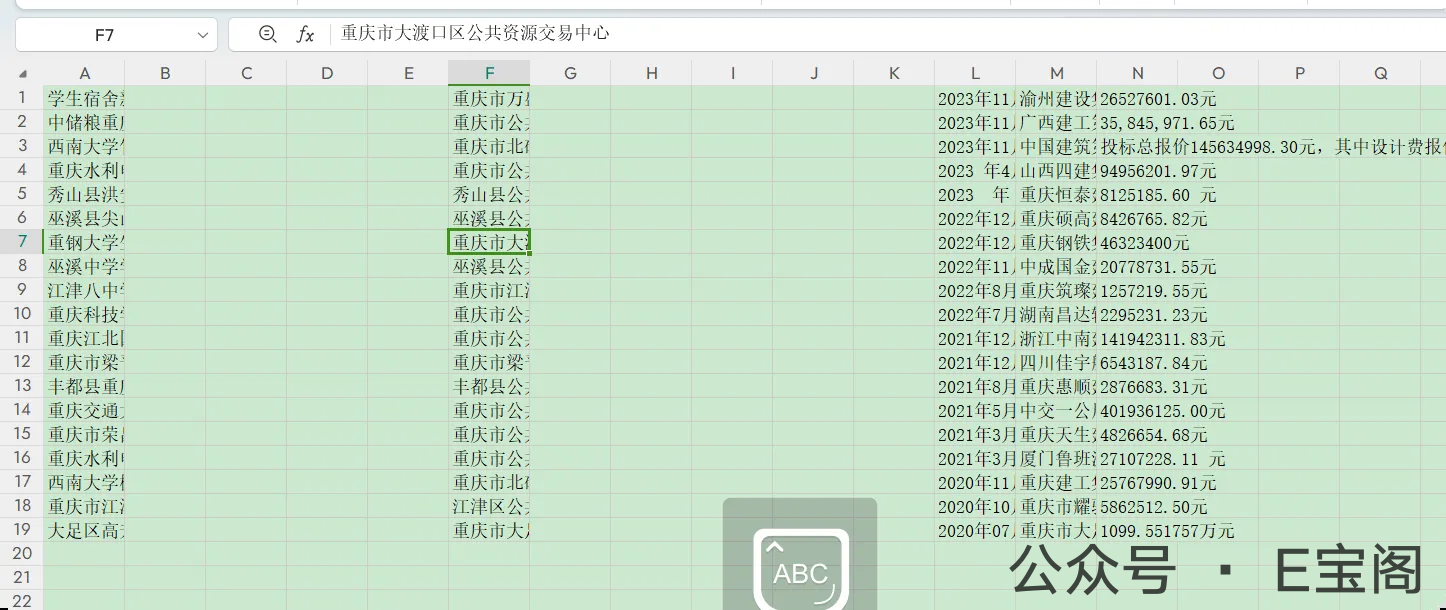
🕷️ Python采集程序历险记:与Selenium的版本大战

🌪️ 初遇难题:版本冲突风暴

当客户兴奋地运行采集程序时:

1
WebDriverException: Message: unknown error: cannot find Chrome binary

浏览器和驱动像两个闹别扭的小朋友:”我们版本不匹配,不跟你玩了!” 😤
于是乎,客户发来代码,我在本地用上我的坠机堡垒笔记本决定看一看,到底怎么个事

🔍 版本侦探工作

  1. 第一方案:追查最新版Chrome驱动

    1
    2
    # 尝试各种135.xxx驱动版本
    driver = webdriver.Chrome(executable_path='chromedriver.exe')

    结果:404 Not Found,官网都找不到对应版本 🕵️‍♂️

  2. 第二方案:升级大法

    1
    pip install --upgrade selenium

    结果:新版本引入了更多兼容问题 💥

🎯 终极解决方案:时光倒流术

“既然追不上最新版,那我们回到过去吧!”

graph LR    A[卸载Chrome最新版] --> B[安装130.0.6723.59稳定版]    B --> C[下载对应130.0.6723.59驱动]    C --> D[完美匹配!]

🎉 胜利的果实

当程序终于吐出数据时,此时我撇嘴一笑
紧接着远程给客户同一番操作后
客户发来欢呼:”数据出来啦!就像魔术一样神奇!” 🎩✨

采集程序代码

1
2
3
4
5
6
7
8
9
10
11
12
13
14
15
16
17
18
19
20
21
22
23
24
25
26
27
28
29
30
31
32
33
34
35
36
37
38
39
40
41
42
43
44
45
46
47
48
49
50
51
52
53
54
55
56
57
58
59
60
61
62
63
64
65
66
67
68
69
70
71
72
73
74
75
76
77
78
79
80
81
82
83
84
85
86
87
88
89
90
91
92
93
94
95
96
97
98
99
100
101
102
103
104
105
106
107
108
109
110
111
112
113
114
115
116
117
118
119
120
121
122
123
124
125
126
127
128
129
130
131
132
133
134
135
136
137
138
139
140
141
142
143
144
145
146
147
148
149
150
151
152
153
154
155
156
157
158
159
160
161
162
163
164
165
166
167
168
169
170
171
172
173
174
175
176
177
178
179
180
181
182
183
184
185
186
187
188
189
190
191
192
193
194
195
196
197
198
199
200
201
202
203
204
205
206
207
208
209
210
211
212
213
214
215
216
217
218
219
220
221
222
223
224
225
226
227
228
229
230
231
232
233
234
235
236
237
238
239
240
241
242
243
244
245
246
247
248
249
250
251
252
253
254
255
256
257
258
259
260
261
262
263
264
265
266
267
268
269
270
271
272
273
274
275
276
277
278
279
280
281
282
283
284
285
286
287
288
289
290
291
292
293
294
295
296
297
298
299
300
301
302
303
304
305
306
307
308
309
310
311
312
313
314
315
316
317
318
319
320
321
322
323
324
325
326
327
328
329
330
331
332
333
334
335
336
337
338
339
340
341
342
343
344
345
346
347
348
349
350
351
352
353
354
355
356
357
358
359
360
361
362
363
364
365
366
367
368
369
370
371
372
373
374
375
376
377
378
379
380
381
382
383
384
385
386
387
388
389
390
391
392
393
394
395
396
397
398
399
400
401
402
403
404
405
406
407
408
409
410
411
412
413
414
415
416
417
418
419
420
421
422
423
424
425
426
427
428
429
430
431
432
433
434
435
436
437
438
439
440
441
442
443
444
445
446
447
448
449
450
451
452
453
454
455
456
457
458
459
460
461
462
463
464
465
466
467
468
469
470
471
472
473
474
475
476
477
478
479
480
481
482
483
484
485
486
487
488
489
490
491
492
493
494
495
496
497
498
499
500
501
502
503
504
505
506
507
508
509
510
511
512
513
514
515
516
517
518
519
520
521
522
523
524
525
526
527
528
529
530
531
532
533
534
535
536
537
538
539
540
541
542
543
544
545
546
547
548
549
550
551
552
553
554
555
556
557
558
559
560
561
562
563
564
565
566
567
568
569
570
571
572
573
574
575
576
577
578
579
580
581
582
583
584
585
586
587
588
589
590
591
592
593
594
595
596
597
598
599
600
601
602
603
604
605
606
607
608
609
610
611
612
613
614
615
616
617
618
619
620
621
622
623
624
625
626
627
628
629
630
631
632
633
634
635
636
637
638
639
640
641
642
643
644
645
646
647
648
649
650
651
652
import time

import numpy as np
import pandas as pd
import requests
import json
from bs4 import BeautifulSoup
from selenium import webdriver
from selenium.webdriver import ChromeOptions
import openpyxl
from selenium.webdriver.chrome.service import Service
from webdriver_manager.chrome import ChromeDriverManager

wb = openpyxl.load_workbook('学生宿舍数据重庆1.xlsx')
ws = wb.active

options = ChromeOptions()
# options.add_argument('--headless')
path = Service('chromedriver.exe')
browser = webdriver.Chrome(service=path)


# browser = webdriver.Chrome(service=path)
# browser = webdriver.Chrome()


def parse_data(content, title):
soup = BeautifulSoup(content, 'lxml')
table = soup.find('table')
# print(table)

df = pd.read_html(str(table))[0]
# print(df)
df.to_csv('test.csv')
#
# df = pd.read_excel('test.xlsx', sheet_name='Sheet1')
# print(df)

# 查找包含指定值的单元格
search_value = '公司'
matching_cells = df.applymap(lambda x: search_value in str(x))
row_indices, col_indices = np.where(matching_cells)
company = df.iloc[int(row_indices[-1]), int(col_indices[-1])]
print(company)

search_value = '工期'
matching_cells = df.applymap(lambda x: search_value in str(x))
row_indices, col_indices = np.where(matching_cells)
worktime = df.iloc[int(row_indices[-1]) + 1, int(col_indices[-1])]
print(worktime)

search_value = '日)'
matching_cells = df.applymap(lambda x: search_value in str(x))
row_indices, col_indices = np.where(matching_cells)
date = df.iloc[int(row_indices[-1]) + 1, int(col_indices[-1])]
print(date)

search_value = '金额'
matching_cells = df.applymap(lambda x: search_value in str(x))
row_indices, col_indices = np.where(matching_cells)
money = df.iloc[int(row_indices[-1]) + 1, int(col_indices[-1])]
if str(money) == "nan":
money = df.iloc[int(row_indices[-1]) + 2, int(col_indices[-1])]
print(money)

search_value = '概况'
matching_cells = df.applymap(lambda x: search_value in str(x))
row_indices, col_indices = np.where(matching_cells)
info = df.iloc[int(row_indices[-1]) + 1, int(col_indices[-1])]
print('有效数据', info)

ws.append([title, '', '', '', '', '重庆市', '', '', worktime, info, '', date, company, money])


def parse_data2(content, title):
soup = BeautifulSoup(content, 'lxml')
table = soup.find('table')
# print(table)

df = pd.read_html(str(table))[0]
# print(df)
df.to_csv('test.csv')
#
# df = pd.read_excel('test.xlsx', sheet_name='Sheet1')
# print(df)

# 查找包含指定值的单元格
search_value = '公司'
matching_cells = df.applymap(lambda x: search_value in str(x))
row_indices, col_indices = np.where(matching_cells)
company = df.iloc[int(row_indices[-1]), int(col_indices[-1])]
print(company)

search_value = '公示时间'
matching_cells = df.applymap(lambda x: search_value in str(x))
row_indices, col_indices = np.where(matching_cells)
date = df.iloc[int(row_indices[-1]), int(col_indices[-1]) + 1]
print(date)

search_value = '交易'
matching_cells = df.applymap(lambda x: search_value in str(x))
row_indices, col_indices = np.where(matching_cells)
address = df.iloc[int(row_indices[-1]), int(col_indices[-1])]
print(address)

search_value = '中标金额'
matching_cells = df.applymap(lambda x: search_value in str(x))
row_indices, col_indices = np.where(matching_cells)
money = df.iloc[int(row_indices[-1]), int(col_indices[-1]) + 1]
print(money)

ws.append([title, '', '', '', '', address, '', '', '', '', '', date, company, money])


import requests

cookies = {
'__jsluid_s': '397c0bf1237c76049b3fd4ae27475f78',
'cookie_www': '19398923',
'Hm_lvt_3b83938a8721dadef0b185225769572a': '1713242242,1713325442,1713344341,1713413084',
'Hm_lpvt_3b83938a8721dadef0b185225769572a': '1713441631',
}

headers = {
'Accept': 'application/json, text/javascript, */*; q=0.01',
'Accept-Language': 'zh-CN,zh;q=0.9',
'Connection': 'keep-alive',
'Content-Type': 'application/x-www-form-urlencoded; charset=UTF-8',
# Requests sorts cookies= alphabetically
# 'Cookie': '__jsluid_s=397c0bf1237c76049b3fd4ae27475f78; cookie_www=19398923; Hm_lvt_3b83938a8721dadef0b185225769572a=1713242242,1713325442,1713344341,1713413084; Hm_lpvt_3b83938a8721dadef0b185225769572a=1713441631',
'Origin': 'https://www.cqggzy.com',
'Referer': 'https://www.cqggzy.com/xxhz/014001/014001019/transaction_detail.html',
'Sec-Fetch-Dest': 'empty',
'Sec-Fetch-Mode': 'cors',
'Sec-Fetch-Site': 'same-origin',
'User-Agent': 'Mozilla/5.0 (Windows NT 10.0; Win64; x64) AppleWebKit/537.36 (KHTML, like Gecko) Chrome/123.0.0.0 Safari/537.36',
'X-Requested-With': 'XMLHttpRequest',
'sec-ch-ua': '"Google Chrome";v="123", "Not:A-Brand";v="8", "Chromium";v="123"',
'sec-ch-ua-mobile': '?0',
'sec-ch-ua-platform': '"Windows"',
}

data = '{"token":"","pn": 0 ,"rn":20,"sdt":"","edt":"","wd":"","inc_wd":"","exc_wd":"","fields":"","cnum":"001","sort":"{\\"istop\\":\\"0\\",\\"ordernum\\":\\"0\\",\\"webdate\\":\\"0\\",\\"rowid\\":\\"0\\"}","ssort":"","cl":10000,"terminal":"","condition":[{"fieldName":"categorynum","equal":"014001004001","notEqual":null,"equalList":null,"notEqualList":["014001018","004002005","014001015","014005014","014008011"],"isLike":true,"likeType":2},{"fieldName":"titlenew","equal":"宿舍","notEqual":null,"equalList":null,"notEqualList":null,"isLike":true,"likeType":0}],"time":[{"fieldName":"webdate","startTime":"2016-01-01 00:00:00","endTime":"2024-04-18 23:59:59"}],"highlights":"","statistics":null,"unionCondition":[],"accuracy":"","noParticiple":"1","searchRange":null,"noWd":true}'

data = data.encode('utf-8')

response = requests.post('https://www.cqggzy.com/interface/rest/esinteligentsearch/getFullTextDataNew', cookies=cookies,
headers=headers, data=data)

# print(response.text)

# print(response.json())
datas = response.json()["result"]["records"]

# maskKey = ['候选人公示', '设计', '答疑', '中选结果', '机构的公告', '整修', '改造', '装修' ,'维修','增建工程','工程项目','招标公告','建设项目', ]
maskKey = ['候选人公示', '答疑', '中选结果', '机构的公告', '招标公告', ]

for data in datas:
flag = True
for k in maskKey:
if k in data['titlenew']:
flag = False
break

if (flag and '宿舍' in data['titlenew']) and all(keyword not in data['titlenew'] for keyword in
['修缮', '扩建', '采购', '改造', '监理', '维修', '整修', '设计',
'整改', '整治', '治理', '增建', '迁建']):

title = data['titlenew']
page_url = 'https://www.cqggzy.com/jumpnew.html?infoid={}&categorynum={}'.format(data['infoid'],
data['categorynum'])
print('-' * 50)
print(title, page_url)
browser.get(page_url)
time.sleep(0.5)

content = browser.page_source

if ('招标条件' not in content) and ('比选条件' not in content) and ('金额' in content):
# print(content)
try:
parse_data(content, title)
except Exception as e:
print(e)

try:
parse_data2(content, title)

except Exception as e2:
print(e2)

print(page_url)

data = '{"token":"","pn": 20 ,"rn":20,"sdt":"","edt":"","wd":"","inc_wd":"","exc_wd":"","fields":"","cnum":"001","sort":"{\\"istop\\":\\"0\\",\\"ordernum\\":\\"0\\",\\"webdate\\":\\"0\\",\\"rowid\\":\\"0\\"}","ssort":"","cl":10000,"terminal":"","condition":[{"fieldName":"categorynum","equal":"014001004001","notEqual":null,"equalList":null,"notEqualList":["014001018","004002005","014001015","014005014","014008011"],"isLike":true,"likeType":2},{"fieldName":"titlenew","equal":"宿舍","notEqual":null,"equalList":null,"notEqualList":null,"isLike":true,"likeType":0}],"time":[{"fieldName":"webdate","startTime":"2016-01-01 00:00:00","endTime":"2024-04-18 23:59:59"}],"highlights":"","statistics":null,"unionCondition":[],"accuracy":"","noParticiple":"1","searchRange":null,"noWd":true}'

data = data.encode('utf-8')

response = requests.post('https://www.cqggzy.com/interface/rest/esinteligentsearch/getFullTextDataNew', cookies=cookies,
headers=headers, data=data)

# print(response.text)

# print(response.json())
datas = response.json()["result"]["records"]

# maskKey = ['候选人公示', '设计', '答疑', '中选结果', '机构的公告', '整修', '改造', '装修' ,'维修','增建工程','工程项目','招标公告','建设项目', ]
maskKey = ['候选人公示', '答疑', '中选结果', '机构的公告', '招标公告', ]

for data in datas:
flag = True
for k in maskKey:
if k in data['titlenew']:
flag = False
break

if (flag and '宿舍' in data['titlenew']) and all(keyword not in data['titlenew'] for keyword in
['修缮', '扩建', '采购', '改造', '监理', '维修', '整修', '设计',
'整改', '整治', '治理', '增建', '迁建']):

title = data['titlenew']
page_url = 'https://www.cqggzy.com/jumpnew.html?infoid={}&categorynum={}'.format(data['infoid'],
data['categorynum'])
print('-' * 50)
print(title, page_url)
browser.get(page_url)
time.sleep(0.5)

content = browser.page_source

if ('招标条件' not in content) and ('比选条件' not in content) and ('金额' in content):
# print(content)
try:
parse_data(content, title)
except Exception as e:
print(e)

try:
parse_data2(content, title)

except Exception as e2:
print(e2)

print(page_url)

data = '{"token":"","pn": 40 ,"rn":20,"sdt":"","edt":"","wd":"","inc_wd":"","exc_wd":"","fields":"","cnum":"001","sort":"{\\"istop\\":\\"0\\",\\"ordernum\\":\\"0\\",\\"webdate\\":\\"0\\",\\"rowid\\":\\"0\\"}","ssort":"","cl":10000,"terminal":"","condition":[{"fieldName":"categorynum","equal":"014001004001","notEqual":null,"equalList":null,"notEqualList":["014001018","004002005","014001015","014005014","014008011"],"isLike":true,"likeType":2},{"fieldName":"titlenew","equal":"宿舍","notEqual":null,"equalList":null,"notEqualList":null,"isLike":true,"likeType":0}],"time":[{"fieldName":"webdate","startTime":"2016-01-01 00:00:00","endTime":"2024-04-18 23:59:59"}],"highlights":"","statistics":null,"unionCondition":[],"accuracy":"","noParticiple":"1","searchRange":null,"noWd":true}'

data = data.encode('utf-8')

response = requests.post('https://www.cqggzy.com/interface/rest/esinteligentsearch/getFullTextDataNew', cookies=cookies,
headers=headers, data=data)

# print(response.text)

# print(response.json())
datas = response.json()["result"]["records"]

# maskKey = ['候选人公示', '设计', '答疑', '中选结果', '机构的公告', '整修', '改造', '装修' ,'维修','增建工程','工程项目','招标公告','建设项目', ]
maskKey = ['候选人公示', '答疑', '中选结果', '机构的公告', '招标公告', ]

for data in datas:
flag = True
for k in maskKey:
if k in data['titlenew']:
flag = False
break

if (flag and '宿舍' in data['titlenew']) and all(keyword not in data['titlenew'] for keyword in
['修缮', '扩建', '采购', '改造', '监理', '维修', '整修', '设计',
'整改', '整治', '治理', '增建', '迁建']):

title = data['titlenew']
page_url = 'https://www.cqggzy.com/jumpnew.html?infoid={}&categorynum={}'.format(data['infoid'],
data['categorynum'])
print('-' * 50)
print(title, page_url)
browser.get(page_url)
time.sleep(0.5)

content = browser.page_source

if ('招标条件' not in content) and ('比选条件' not in content) and ('金额' in content):
# print(content)
try:
parse_data(content, title)
except Exception as e:
print(e)

try:
parse_data2(content, title)

except Exception as e2:
print(e2)

print(page_url)

data = '{"token":"","pn": 60 ,"rn":20,"sdt":"","edt":"","wd":"","inc_wd":"","exc_wd":"","fields":"","cnum":"001","sort":"{\\"istop\\":\\"0\\",\\"ordernum\\":\\"0\\",\\"webdate\\":\\"0\\",\\"rowid\\":\\"0\\"}","ssort":"","cl":10000,"terminal":"","condition":[{"fieldName":"categorynum","equal":"014001004001","notEqual":null,"equalList":null,"notEqualList":["014001018","004002005","014001015","014005014","014008011"],"isLike":true,"likeType":2},{"fieldName":"titlenew","equal":"宿舍","notEqual":null,"equalList":null,"notEqualList":null,"isLike":true,"likeType":0}],"time":[{"fieldName":"webdate","startTime":"2016-01-01 00:00:00","endTime":"2024-04-18 23:59:59"}],"highlights":"","statistics":null,"unionCondition":[],"accuracy":"","noParticiple":"1","searchRange":null,"noWd":true}'

data = data.encode('utf-8')

response = requests.post('https://www.cqggzy.com/interface/rest/esinteligentsearch/getFullTextDataNew', cookies=cookies,
headers=headers, data=data)

# print(response.text)

# print(response.json())
datas = response.json()["result"]["records"]

# maskKey = ['候选人公示', '设计', '答疑', '中选结果', '机构的公告', '整修', '改造', '装修' ,'维修','增建工程','工程项目','招标公告','建设项目', ]
maskKey = ['候选人公示', '答疑', '中选结果', '机构的公告', '招标公告', ]

for data in datas:
flag = True
for k in maskKey:
if k in data['titlenew']:
flag = False
break

if (flag and '宿舍' in data['titlenew']) and all(keyword not in data['titlenew'] for keyword in
['修缮', '扩建', '采购', '改造', '监理', '维修', '整修', '设计',
'整改', '整治', '治理', '增建', '迁建']):
title = data['titlenew']
page_url = 'https://www.cqggzy.com/jumpnew.html?infoid={}&categorynum={}'.format(data['infoid'],
data['categorynum'])
print('-' * 50)
print(title, page_url)
browser.get(page_url)
time.sleep(0.5)

content = browser.page_source

if ('招标条件' not in content) and ('比选条件' not in content) and ('金额' in content):
# print(content)
try:
parse_data(content, title)
except Exception as e:
print(e)

try:
parse_data2(content, title)

except Exception as e2:
print(e2)

print(page_url)

data = '{"token":"","pn": 80 ,"rn":20,"sdt":"","edt":"","wd":"","inc_wd":"","exc_wd":"","fields":"","cnum":"001","sort":"{\\"istop\\":\\"0\\",\\"ordernum\\":\\"0\\",\\"webdate\\":\\"0\\",\\"rowid\\":\\"0\\"}","ssort":"","cl":10000,"terminal":"","condition":[{"fieldName":"categorynum","equal":"014001004001","notEqual":null,"equalList":null,"notEqualList":["014001018","004002005","014001015","014005014","014008011"],"isLike":true,"likeType":2},{"fieldName":"titlenew","equal":"宿舍","notEqual":null,"equalList":null,"notEqualList":null,"isLike":true,"likeType":0}],"time":[{"fieldName":"webdate","startTime":"2016-01-01 00:00:00","endTime":"2024-04-18 23:59:59"}],"highlights":"","statistics":null,"unionCondition":[],"accuracy":"","noParticiple":"1","searchRange":null,"noWd":true}'

data = data.encode('utf-8')

response = requests.post('https://www.cqggzy.com/interface/rest/esinteligentsearch/getFullTextDataNew', cookies=cookies,
headers=headers, data=data)

# print(response.text)

# print(response.json())
datas = response.json()["result"]["records"]

# maskKey = ['候选人公示', '设计', '答疑', '中选结果', '机构的公告', '整修', '改造', '装修' ,'维修','增建工程','工程项目','招标公告','建设项目', ]
maskKey = ['候选人公示', '答疑', '中选结果', '机构的公告', '招标公告', ]

for data in datas:
flag = True
for k in maskKey:
if k in data['titlenew']:
flag = False
break

if (flag and '宿舍' in data['titlenew']) and all(keyword not in data['titlenew'] for keyword in
['修缮', '扩建', '采购', '改造', '监理', '维修', '整修', '设计',
'整改', '整治', '治理', '增建', '迁建']):

title = data['titlenew']
page_url = 'https://www.cqggzy.com/jumpnew.html?infoid={}&categorynum={}'.format(data['infoid'],
data['categorynum'])
print('-' * 50)
print(title, page_url)
browser.get(page_url)
time.sleep(0.5)

content = browser.page_source

if ('招标条件' not in content) and ('比选条件' not in content) and ('金额' in content):
# print(content)
try:
parse_data(content, title)
except Exception as e:
print(e)

try:
parse_data2(content, title)

except Exception as e2:
print(e2)

print(page_url)

data = '{"token":"","pn": 100 ,"rn":20,"sdt":"","edt":"","wd":"","inc_wd":"","exc_wd":"","fields":"","cnum":"001","sort":"{\\"istop\\":\\"0\\",\\"ordernum\\":\\"0\\",\\"webdate\\":\\"0\\",\\"rowid\\":\\"0\\"}","ssort":"","cl":10000,"terminal":"","condition":[{"fieldName":"categorynum","equal":"014001004001","notEqual":null,"equalList":null,"notEqualList":["014001018","004002005","014001015","014005014","014008011"],"isLike":true,"likeType":2},{"fieldName":"titlenew","equal":"宿舍","notEqual":null,"equalList":null,"notEqualList":null,"isLike":true,"likeType":0}],"time":[{"fieldName":"webdate","startTime":"2016-01-01 00:00:00","endTime":"2024-04-18 23:59:59"}],"highlights":"","statistics":null,"unionCondition":[],"accuracy":"","noParticiple":"1","searchRange":null,"noWd":true}'

data = data.encode('utf-8')

response = requests.post('https://www.cqggzy.com/interface/rest/esinteligentsearch/getFullTextDataNew', cookies=cookies,
headers=headers, data=data)

# print(response.text)

# print(response.json())
datas = response.json()["result"]["records"]

# maskKey = ['候选人公示', '设计', '答疑', '中选结果', '机构的公告', '整修', '改造', '装修' ,'维修','增建工程','工程项目','招标公告','建设项目', ]
maskKey = ['候选人公示', '答疑', '中选结果', '机构的公告', '招标公告', ]

for data in datas:
flag = True
for k in maskKey:
if k in data['titlenew']:
flag = False
break

if (flag and '宿舍' in data['titlenew']) and all(keyword not in data['titlenew'] for keyword in
['修缮', '扩建', '采购', '改造', '监理', '维修', '整修', '设计',
'整改', '整治', '治理', '增建', '迁建']):

title = data['titlenew']
page_url = 'https://www.cqggzy.com/jumpnew.html?infoid={}&categorynum={}'.format(data['infoid'],
data['categorynum'])
print('-' * 50)
print(title, page_url)
browser.get(page_url)
time.sleep(0.5)

content = browser.page_source

if ('招标条件' not in content) and ('比选条件' not in content) and ('金额' in content):
# print(content)
try:
parse_data(content, title)
except Exception as e:
print(e)

try:
parse_data2(content, title)

except Exception as e2:
print(e2)

print(page_url)

data = '{"token":"","pn": 120 ,"rn":20,"sdt":"","edt":"","wd":"","inc_wd":"","exc_wd":"","fields":"","cnum":"001","sort":"{\\"istop\\":\\"0\\",\\"ordernum\\":\\"0\\",\\"webdate\\":\\"0\\",\\"rowid\\":\\"0\\"}","ssort":"","cl":10000,"terminal":"","condition":[{"fieldName":"categorynum","equal":"014001004001","notEqual":null,"equalList":null,"notEqualList":["014001018","004002005","014001015","014005014","014008011"],"isLike":true,"likeType":2},{"fieldName":"titlenew","equal":"宿舍","notEqual":null,"equalList":null,"notEqualList":null,"isLike":true,"likeType":0}],"time":[{"fieldName":"webdate","startTime":"2016-01-01 00:00:00","endTime":"2024-04-18 23:59:59"}],"highlights":"","statistics":null,"unionCondition":[],"accuracy":"","noParticiple":"1","searchRange":null,"noWd":true}'

data = data.encode('utf-8')

response = requests.post('https://www.cqggzy.com/interface/rest/esinteligentsearch/getFullTextDataNew', cookies=cookies,
headers=headers, data=data)

# print(response.text)

# print(response.json())
datas = response.json()["result"]["records"]

# maskKey = ['候选人公示', '设计', '答疑', '中选结果', '机构的公告', '整修', '改造', '装修' ,'维修','增建工程','工程项目','招标公告','建设项目', ]
maskKey = ['候选人公示', '答疑', '中选结果', '机构的公告', '招标公告', ]

for data in datas:
flag = True
for k in maskKey:
if k in data['titlenew']:
flag = False
break

if (flag and '宿舍' in data['titlenew']) and all(keyword not in data['titlenew'] for keyword in
['修缮', '扩建', '采购', '改造', '监理', '维修', '整修', '设计',
'整改', '整治', '治理', '增建', '迁建']):

title = data['titlenew']
page_url = 'https://www.cqggzy.com/jumpnew.html?infoid={}&categorynum={}'.format(data['infoid'],
data['categorynum'])
print('-' * 50)
print(title, page_url)
browser.get(page_url)
time.sleep(0.5)

content = browser.page_source

if ('招标条件' not in content) and ('比选条件' not in content) and ('金额' in content):
# print(content)
try:
parse_data(content, title)
except Exception as e:
print(e)

try:
parse_data2(content, title)

except Exception as e2:
print(e2)

print(page_url)

data = '{"token":"","pn": 140 ,"rn":20,"sdt":"","edt":"","wd":"","inc_wd":"","exc_wd":"","fields":"","cnum":"001","sort":"{\\"istop\\":\\"0\\",\\"ordernum\\":\\"0\\",\\"webdate\\":\\"0\\",\\"rowid\\":\\"0\\"}","ssort":"","cl":10000,"terminal":"","condition":[{"fieldName":"categorynum","equal":"014001004001","notEqual":null,"equalList":null,"notEqualList":["014001018","004002005","014001015","014005014","014008011"],"isLike":true,"likeType":2},{"fieldName":"titlenew","equal":"宿舍","notEqual":null,"equalList":null,"notEqualList":null,"isLike":true,"likeType":0}],"time":[{"fieldName":"webdate","startTime":"2016-01-01 00:00:00","endTime":"2024-04-18 23:59:59"}],"highlights":"","statistics":null,"unionCondition":[],"accuracy":"","noParticiple":"1","searchRange":null,"noWd":true}'

data = data.encode('utf-8')

response = requests.post('https://www.cqggzy.com/interface/rest/esinteligentsearch/getFullTextDataNew', cookies=cookies,
headers=headers, data=data)

# print(response.text)

# print(response.json())
datas = response.json()["result"]["records"]

# maskKey = ['候选人公示', '设计', '答疑', '中选结果', '机构的公告', '整修', '改造', '装修' ,'维修','增建工程','工程项目','招标公告','建设项目', ]
maskKey = ['候选人公示', '答疑', '中选结果', '机构的公告', '招标公告', ]

for data in datas:
flag = True
for k in maskKey:
if k in data['titlenew']:
flag = False
break

if (flag and '宿舍' in data['titlenew']) and all(keyword not in data['titlenew'] for keyword in
['修缮', '扩建', '采购', '改造', '监理', '维修', '整修', '设计',
'整改', '整治', '治理', '增建', '迁建']):

title = data['titlenew']
page_url = 'https://www.cqggzy.com/jumpnew.html?infoid={}&categorynum={}'.format(data['infoid'],
data['categorynum'])
print('-' * 50)
print(title, page_url)
browser.get(page_url)
time.sleep(0.5)

content = browser.page_source

if ('招标条件' not in content) and ('比选条件' not in content) and ('金额' in content):
# print(content)
try:
parse_data(content, title)
except Exception as e:
print(e)

try:
parse_data2(content, title)

except Exception as e2:
print(e2)

print(page_url)

data = '{"token":"","pn": 160 ,"rn":20,"sdt":"","edt":"","wd":"","inc_wd":"","exc_wd":"","fields":"","cnum":"001","sort":"{\\"istop\\":\\"0\\",\\"ordernum\\":\\"0\\",\\"webdate\\":\\"0\\",\\"rowid\\":\\"0\\"}","ssort":"","cl":10000,"terminal":"","condition":[{"fieldName":"categorynum","equal":"014001004001","notEqual":null,"equalList":null,"notEqualList":["014001018","004002005","014001015","014005014","014008011"],"isLike":true,"likeType":2},{"fieldName":"titlenew","equal":"宿舍","notEqual":null,"equalList":null,"notEqualList":null,"isLike":true,"likeType":0}],"time":[{"fieldName":"webdate","startTime":"2016-01-01 00:00:00","endTime":"2024-04-18 23:59:59"}],"highlights":"","statistics":null,"unionCondition":[],"accuracy":"","noParticiple":"1","searchRange":null,"noWd":true}'

data = data.encode('utf-8')

response = requests.post('https://www.cqggzy.com/interface/rest/esinteligentsearch/getFullTextDataNew', cookies=cookies,
headers=headers, data=data)

# print(response.text)

# print(response.json())
datas = response.json()["result"]["records"]

# maskKey = ['候选人公示', '设计', '答疑', '中选结果', '机构的公告', '整修', '改造', '装修' ,'维修','增建工程','工程项目','招标公告','建设项目', ]
maskKey = ['候选人公示', '答疑', '中选结果', '机构的公告', '招标公告', ]

for data in datas:
flag = True
for k in maskKey:
if k in data['titlenew']:
flag = False
break

if (flag and '宿舍' in data['titlenew']) and all(keyword not in data['titlenew'] for keyword in
['修缮', '扩建', '采购', '改造', '监理', '维修', '整修', '设计',
'整改', '整治', '治理', '增建', '迁建']):

title = data['titlenew']
page_url = 'https://www.cqggzy.com/jumpnew.html?infoid={}&categorynum={}'.format(data['infoid'],
data['categorynum'])
print('-' * 50)
print(title, page_url)
browser.get(page_url)
time.sleep(0.5)

content = browser.page_source

if ('招标条件' not in content) and ('比选条件' not in content) and ('金额' in content):
# print(content)
try:
parse_data(content, title)
except Exception as e:
print(e)

try:
parse_data2(content, title)

except Exception as e2:
print(e2)

print(page_url)

data = '{"token":"","pn": 180 ,"rn":20,"sdt":"","edt":"","wd":"","inc_wd":"","exc_wd":"","fields":"","cnum":"001","sort":"{\\"istop\\":\\"0\\",\\"ordernum\\":\\"0\\",\\"webdate\\":\\"0\\",\\"rowid\\":\\"0\\"}","ssort":"","cl":10000,"terminal":"","condition":[{"fieldName":"categorynum","equal":"014001004001","notEqual":null,"equalList":null,"notEqualList":["014001018","004002005","014001015","014005014","014008011"],"isLike":true,"likeType":2},{"fieldName":"titlenew","equal":"宿舍","notEqual":null,"equalList":null,"notEqualList":null,"isLike":true,"likeType":0}],"time":[{"fieldName":"webdate","startTime":"2016-01-01 00:00:00","endTime":"2024-04-18 23:59:59"}],"highlights":"","statistics":null,"unionCondition":[],"accuracy":"","noParticiple":"1","searchRange":null,"noWd":true}'

data = data.encode('utf-8')

response = requests.post('https://www.cqggzy.com/interface/rest/esinteligentsearch/getFullTextDataNew', cookies=cookies,
headers=headers, data=data)

# print(response.text)

# print(response.json())
datas = response.json()["result"]["records"]

# maskKey = ['候选人公示', '设计', '答疑', '中选结果', '机构的公告', '整修', '改造', '装修' ,'维修','增建工程','工程项目','招标公告','建设项目', ]
maskKey = ['候选人公示', '答疑', '中选结果', '机构的公告', '招标公告', ]

for data in datas:
flag = True
for k in maskKey:
if k in data['titlenew']:
flag = False
break

if (flag and '宿舍' in data['titlenew']) and all(keyword not in data['titlenew'] for keyword in
['修缮', '扩建', '采购', '改造', '监理', '维修', '整修', '设计',
'整改', '整治', '治理', '增建', '迁建']):

title = data['titlenew']
page_url = 'https://www.cqggzy.com/jumpnew.html?infoid={}&categorynum={}'.format(data['infoid'],
data['categorynum'])
print('-' * 50)
print(title, page_url)
browser.get(page_url)
time.sleep(0.5)

content = browser.page_source

if ('招标条件' not in content) and ('比选条件' not in content) and ('金额' in content):
# print(content)
try:
parse_data(content, title)
except Exception as e:
print(e)

try:
parse_data2(content, title)

except Exception as e2:
print(e2)

print(page_url)

wb.save('学生宿舍数据重庆1.xlsx')

💡 血泪经验

  1. 浏览器和驱动就像咖啡和奶,必须黄金比例搭配 ☕+🥛
  2. 最新≠最稳定,生产环境要用经过验证的版本组合
  3. 遇到问题不妨退一步,可能海阔天空

这个故事告诉我们:在技术世界里,有时候”复古”反而是最前卫的解决方案!数据采集成功的那一刻,所有的折腾都值得了~ 💾

2025-03-09

🤖 机器人视觉调试:一场跌宕起伏的”摄像头拯救大作战”


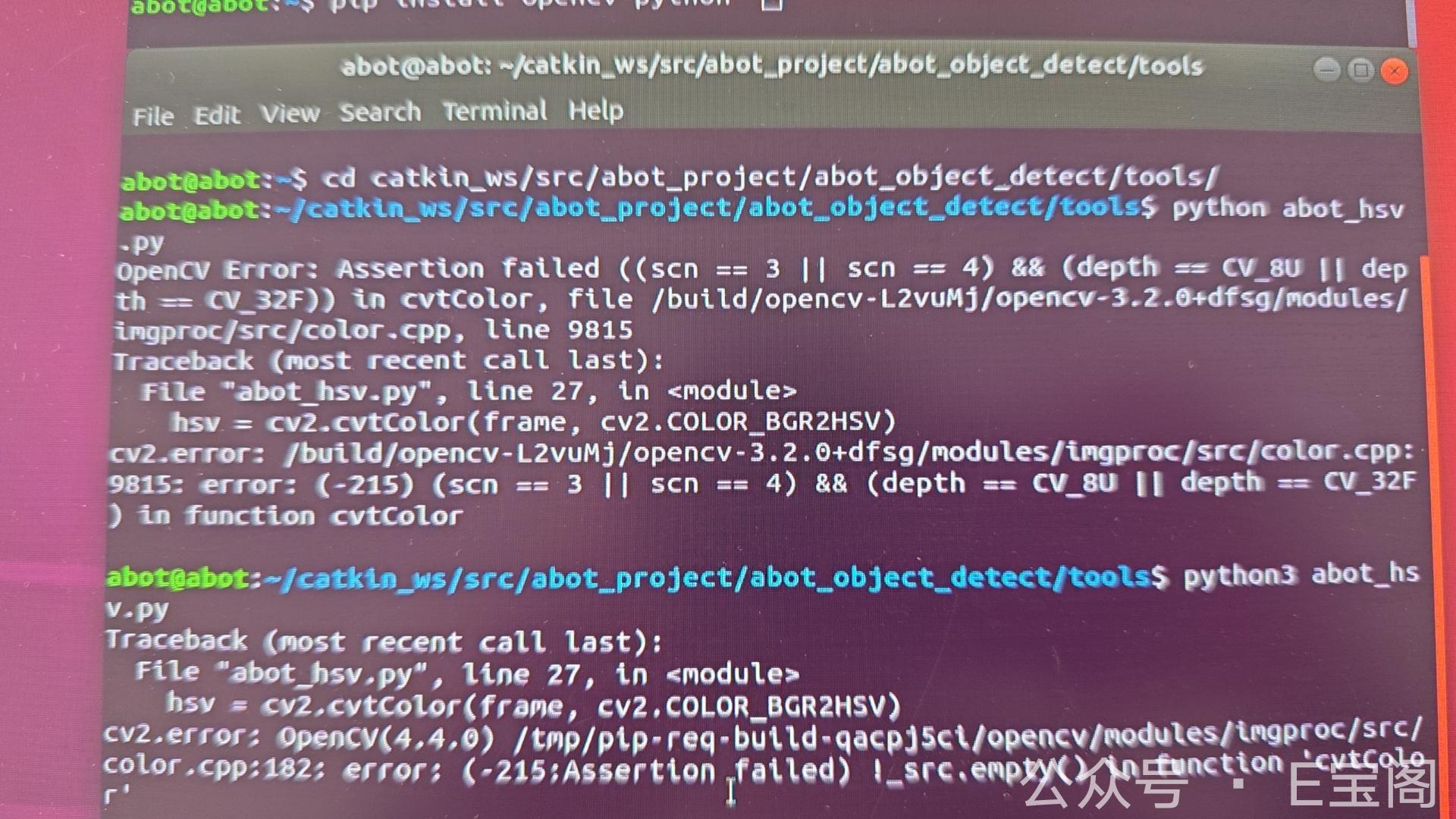
🎬 第一幕:OpenCV 版本之谜——“升级无效!”

客户焦急地发来消息:”代码跑不起来,是不是 OpenCV 版本问题?”

🔧 我的操作:

1
pip install --upgrade opencv-python  # 升级到最新版

结果: ❌ 仍然报错!
💭 内心OS: “看来不是版本问题,得深入挖掘……”


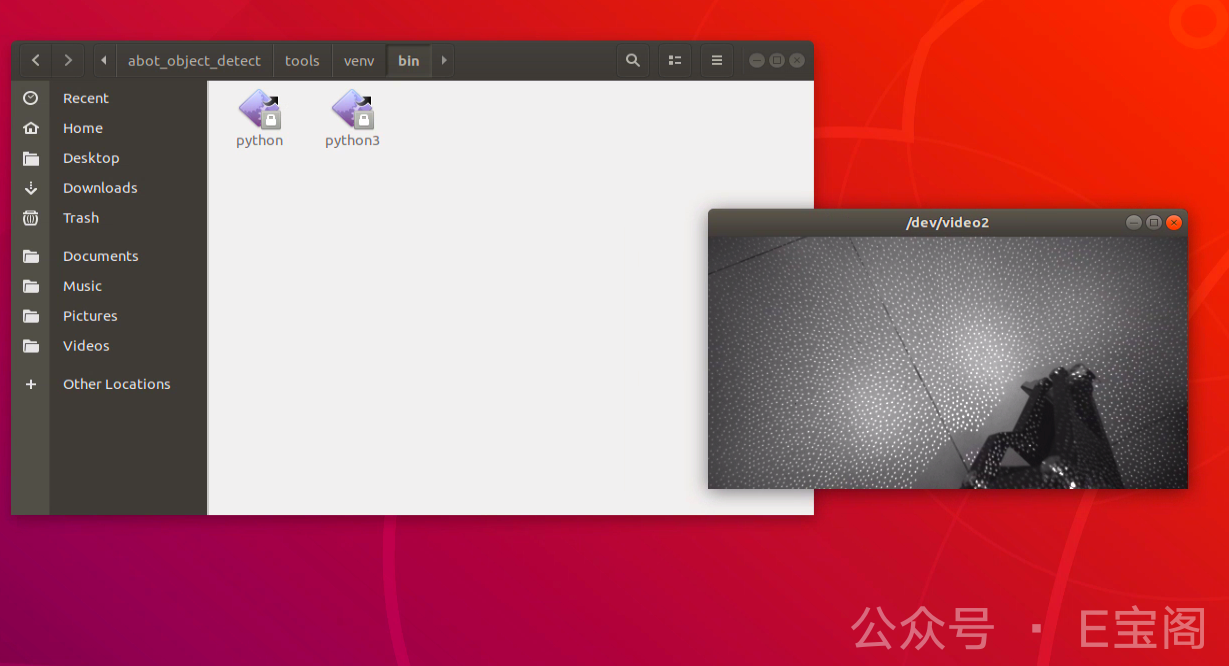
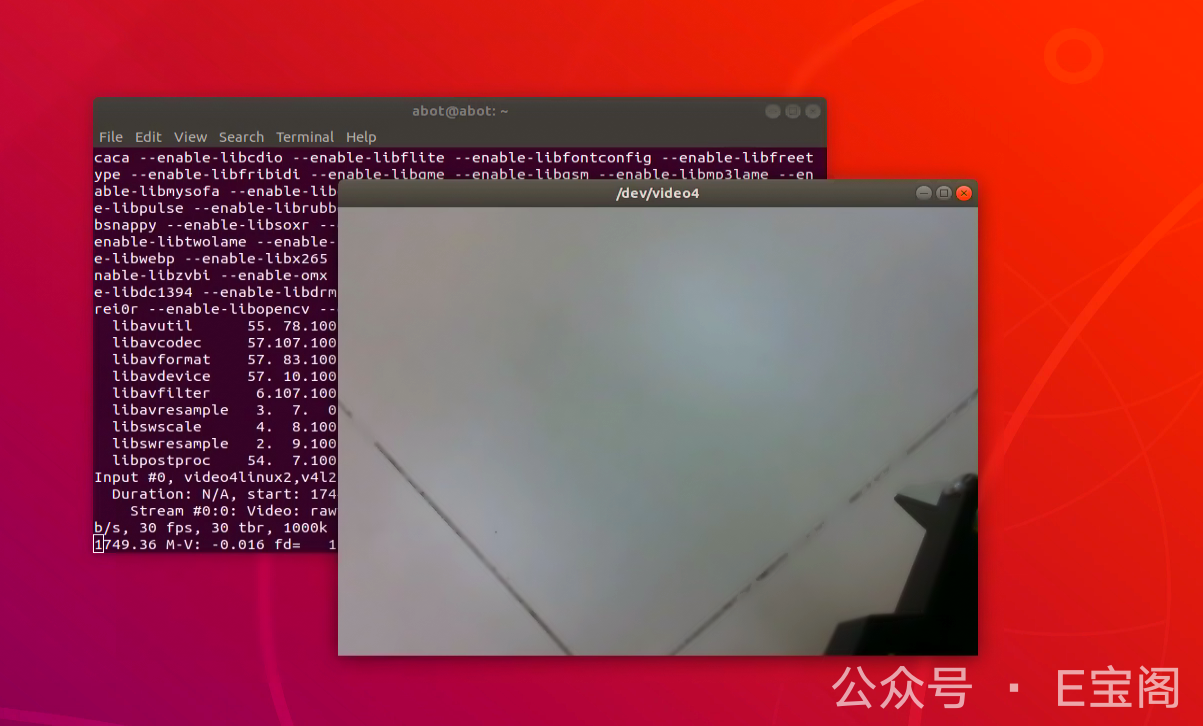
🔍 第二幕:摄像头侦探——“5个接口,谁是真正的摄像头?”

机器人的 Ubuntu 系统里,竟然有 5 个 /dev/video* 设备!

🎯 测试方法:

1
2
3
4
5
ffplay /dev/video0  # 无响应  
ffplay /dev/video1 # 无响应
ffplay /dev/video2 # 黑白画面!
ffplay /dev/video3 # 无响应
ffplay /dev/video4 # 彩色画面!🎉

: “您连接了几个摄像头?”
客户: “就一个”
: “好的”
内心OS💭: “就一个摄像头,怎么会有5个设备呢? 难道…”

💡 发现:

  • video2 = 黑白模式(适合某些算法)
  • video4 = 彩色模式(客户想要的)

💻 第三幕:代码改造——“放弃复杂管道,回归简单粗暴!”

原代码用了 GStreamer 管道,但 OpenCV 默认不支持,编译又太麻烦……

1
2
3
4
5
6
7
8
9
10
gst_pipeline = (
"nvcamerasrc ! "
"video/x-raw(memory:NVMM), width=1280, height=720, format=I420, framerate=30/1 ! "
"nvvidconv flip-method=6 ! "
"video/x-raw, format=BGRx ! "
"videoconvert ! "
"video/x-raw, format=BGR ! "
"appsink"
)
cap = cv2.VideoCapture(gst_pipeline, cv2.CAP_GSTREAMER)

🚀 最终方案:

1
2
# 直接调用摄像头(简单有效!)
cap = cv2.VideoCapture(2)

运行成功! 🎉

客户体验:

  • 客户:”好了?我试试看”
  • 此刻远程控制中的我看着客户用工具栏各种拖拉调试
  • 客户:”怎么是黑白的?”
  • 我:”我看看”
  • 然后一顿操作…
  • 我:”改个数字就行!”cv2.VideoCapture(2)cv2.VideoCapture(4)
  • 客户:”彩色出来了!可以了!”

💥 第四幕:神秘断连——“20块能修好吗?”

几天后,客户突然发来消息:
“摄像头突然用不了了!”

客户: 我一运行这段命令,就连不上了
客户:”加20块💰 能修好吗?”
我(看着排队的工单): “这……得请 Linux 大神了!🤔”


🔎 可能原因:

  1. USB 供电不稳?
  2. 内核驱动冲突?
  3. 某个神秘命令搞崩了摄像头?

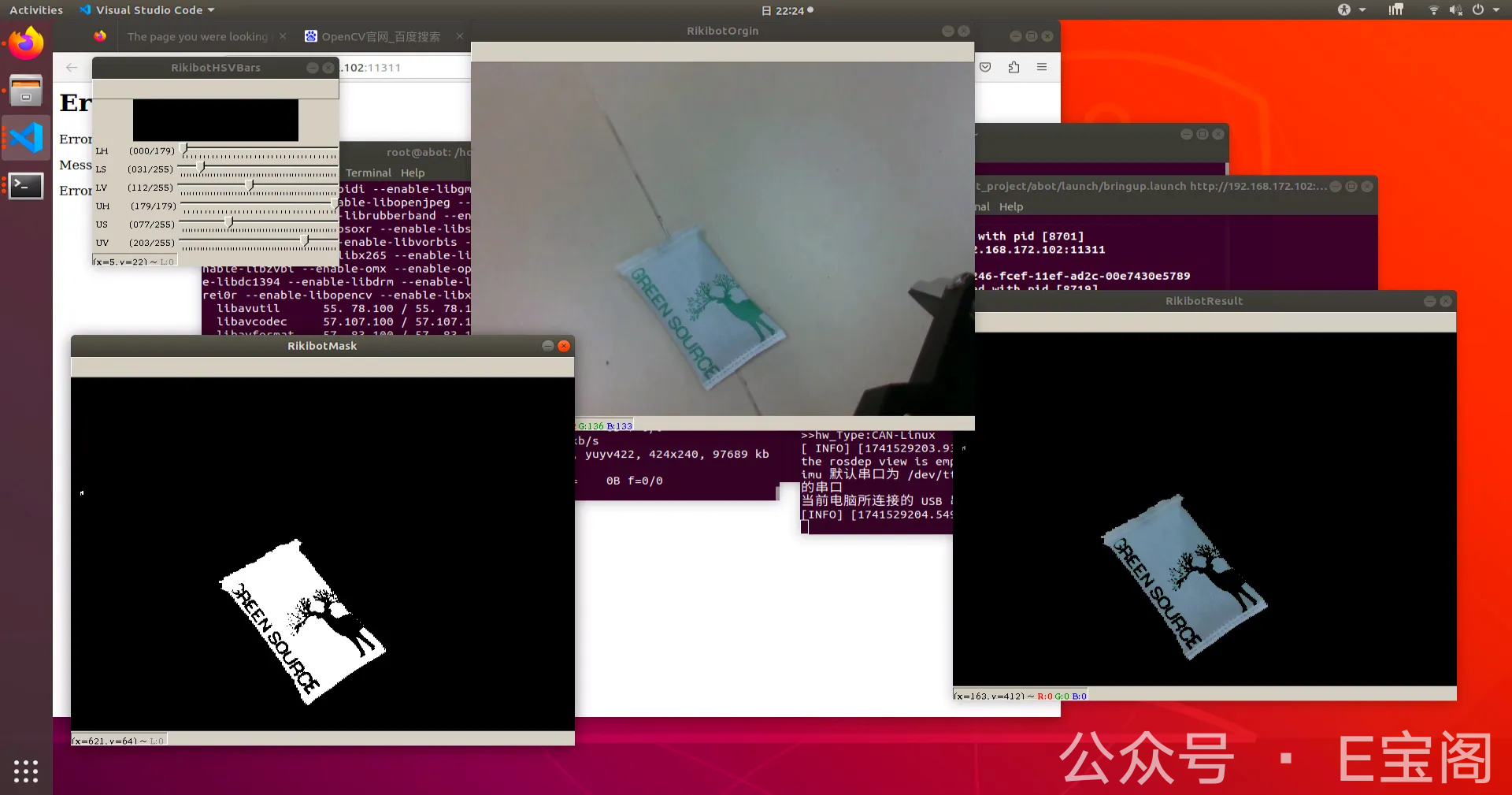
目标代码-用于深度识别

1
2
3
4
5
6
7
8
9
10
11
12
13
14
15
16
17
18
19
20
21
22
23
24
25
26
27
28
29
30
31
32
33
34
35
36
37
38
39
40
41
42
43
44
45
46
47
48
49
50
51
52
53
54
55
56
57
58
import cv2
import numpy as np


def nothing(x):
pass


gst_pipeline = (
"nvcamerasrc ! "
"video/x-raw(memory:NVMM), width=1280, height=720, format=I420, framerate=30/1 ! "
"nvvidconv flip-method=6 ! "
"video/x-raw, format=BGRx ! "
"videoconvert ! "
"video/x-raw, format=BGR ! "
"appsink"
)

cap = cv2.VideoCapture(0) # 使用某一个摄像头
#cap = cv2.VideoCapture(gst_pipeline, cv2.CAP_GSTREAMER)

cv2.namedWindow("RikibotHSVBars")

cv2.createTrackbar("LH", "RikibotHSVBars", 0, 179, nothing)
cv2.createTrackbar("LS", "RikibotHSVBars", 0, 255, nothing)
cv2.createTrackbar("LV", "RikibotHSVBars", 0, 255, nothing)
cv2.createTrackbar("UH", "RikibotHSVBars", 179, 179, nothing)
cv2.createTrackbar("US", "RikibotHSVBars", 255, 255, nothing)
cv2.createTrackbar("UV", "RikibotHSVBars", 255, 255, nothing)

while True:
_, frame = cap.read()
hsv = cv2.cvtColor(frame, cv2.COLOR_BGR2HSV)

l_h = cv2.getTrackbarPos("LH", "RikibotHSVBars")
l_s = cv2.getTrackbarPos("LS", "RikibotHSVBars")
l_v = cv2.getTrackbarPos("LV", "RikibotHSVBars")
u_h = cv2.getTrackbarPos("UH", "RikibotHSVBars")
u_s = cv2.getTrackbarPos("US", "RikibotHSVBars")
u_v = cv2.getTrackbarPos("UV", "RikibotHSVBars")

lower_blue = np.array([l_h, l_s, l_v])
upper_blue = np.array([u_h, u_s, u_v])
mask = cv2.inRange(hsv, lower_blue, upper_blue)

result = cv2.bitwise_and(frame, frame, mask=mask)

cv2.imshow("RikibotOrgin", frame)
cv2.imshow("RikibotMask", mask)
cv2.imshow("RikibotResult", result)

key = cv2.waitKey(1)
if key == 27:
break

cap.release()
cv2.destroyAllWindows()

💡 经验总结:

  1. 多摄像头设备要逐个测试,不同通道可能对应不同模式!
  2. 简单方案(cv2.VideoCapture)有时比复杂管道更可靠
  3. Linux 硬件调试充满玄学,有时候重启、换接口就能解决……

(求问:有遇到过类似问题的兄弟吗?评论区支个招!) 🆘

2025-03-07

🚨 云端惊魂:一场与”挖矿幽灵”的较量

🌪️ 案发经过

“我的云服务器CPU总是100%!”客户焦急地发来警报。远程连接后,发现一个诡异的Java进程像打不死的小强:

即使kill -9也毫无作用,这个”幽灵进程”总会死灰复燃!💀

🔍 侦探时刻

第一步:追踪蛛丝马迹

1
ls -l /proc/15947/exe  # 查看进程本体

发现这个”Java”竟藏在/tmp/这个阴暗角落!明显不是正经程序该待的地方🕵️‍♂️

第二步:斩草除根

1
2
3
cp /tmp/java /tmp/java_bak  # 保留罪证
rm -f /tmp/java # 物理删除
pkill -f java # 彻底终结

像捉鬼敢死队一样清理恶意程序

💡 真相大白

  • 入侵途径:弱密码: 123就像敞开的家门🚪
  • 恶意程序:伪装成Java的门罗币挖矿软件⛏️
  • 持久化:通过crontabsystemd实现复活

🛡️ 安全加固指南

1
2
3
4
5
6
7
8
9
10
11
# 1. 立即修改密码
passwd # 设置16位混合密码

# 2. 检查定时任务
crontab -l
systemctl list-timers

# 3. 安装防护
apt install fail2ban ufw
ufw allow ssh
ufw enable

🌈 最终结局:客户学会了设置复杂密码,服务器终于恢复平静。这个故事告诉我们——在互联网世界,”123”这样的密码就像用纸巾当防盗门,黑客们可都带着”万能钥匙”呢!🔑

(友情提示:您的服务器密码是否也像便利贴一样贴在”心理可见”处?快去检查吧~)